YouTube, launched in 2005, began as a simple platform where users could upload and share videos online. It quickly gained popularity because it made video publishing accessible to everyone. After being acquired by Google in 2006, YouTube expanded rapidly, becoming a global hub for entertainment, education, and user-generated content.
Over time, YouTube evolved from hosting mostly amateur videos to supporting professional creators, media companies, and businesses. The introduction of the Partner Program allowed creators to earn revenue, helping build the modern “creator economy.” As technology advanced, YouTube added features like high-definition video, live streaming, mobile access, and personalized recommendations driven by algorithms.
In recent years, YouTube has adapted to changing trends by introducing YouTube Shorts to compete with short-form video platforms, while continuing to support long-form content. It has also expanded monetization options and subscription services, making it both a social media platform and a streaming service.
Today, YouTube is a powerful, multifaceted platform used for entertainment, learning, marketing, and communication. Its evolution reflects broader shifts in digital media, including the rise of online creators, on-demand viewing, and algorithm-driven content discovery.
INTELLIGENCE GATHERING
Key signs an account may be fake
1. Suspicious profile details
Generic or stolen profile photo (often overly polished or stock-looking)
Username with random numbers or slight misspellings (e.g., @ElonMusk_12345)
Bio is vague, overly promotional, or copied
2. Recently created account
Very new accounts (days or weeks old) pretending to be established figures are a red flag
Check the “Joined” date on the profile
3. Follower vs. following imbalance
Following thousands but with very few followers
Or sudden large follower counts with little real engagement (possible bots)
4. Low-quality or repetitive content
Posts are repetitive, generic, or copied from others
Mostly retweets with no original thoughts
Content doesn’t match the claimed identity
5. Unusual behavior
Replies that feel automated or irrelevant to the conversation
Aggressive promotion (crypto, giveaways, links)
Sends unsolicited DMs, especially asking for money or personal info
6. Engagement doesn’t add up
Lots of likes but very few meaningful replies
Comments that look like bots (generic phrases like “Nice!” or “Great post!”)
7. Impersonation clues
Slight variations of a real account’s handle or name
Claims to be a company or celebrity but:
No official website link
No history of credible posts
Even with a checkmark, confirm—verification is now paid and not always proof of authenticity
Quick ways to verify
Check their history: Scroll through older posts—do they look consistent and human?
Cross-check elsewhere: Look for the same person/org on official websites or other platforms
Look at interactions: Are real people engaging meaningfully with them?
Reverse image search: Profile photo showing up elsewhere = likely fake
FINDING THE YOUTUBE CHANNEL ID
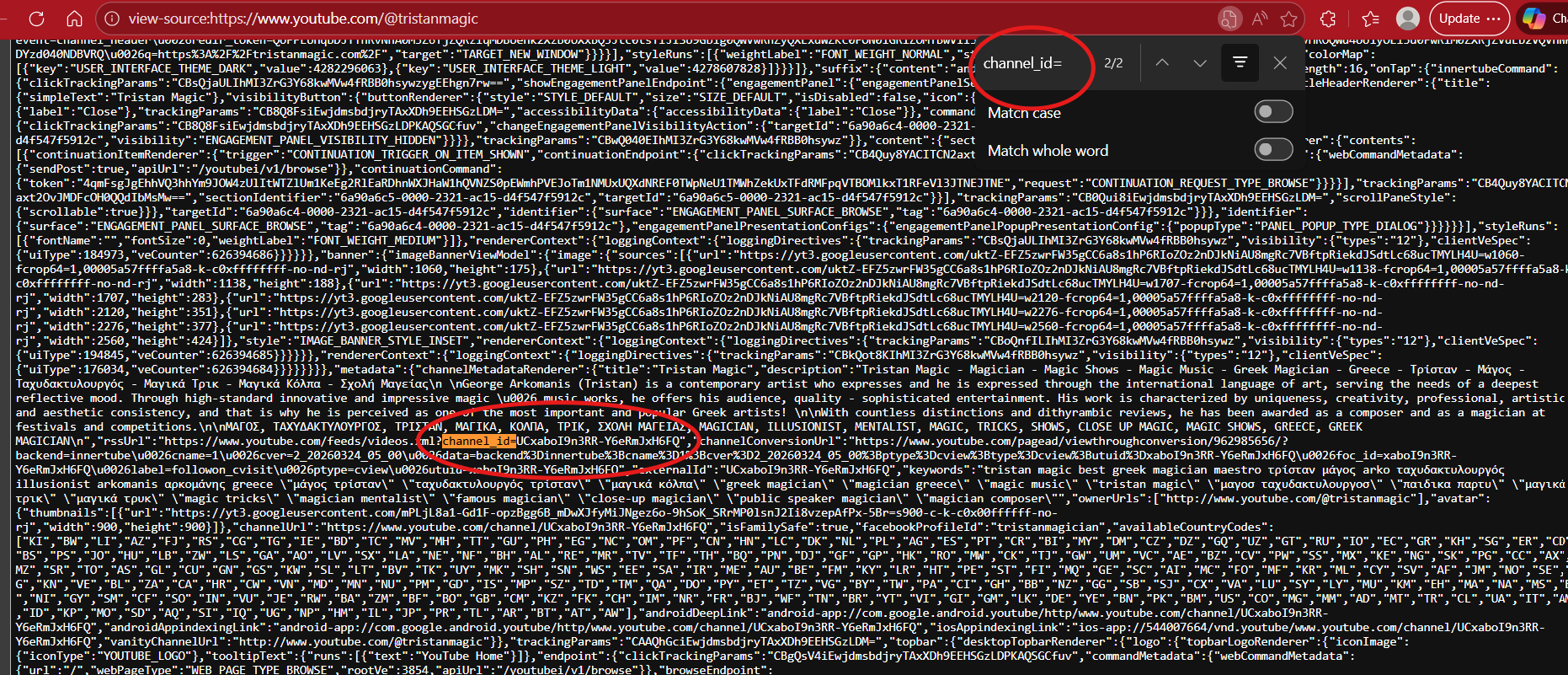
YouTube users have a specific user ID or what is identified as a Channel ID. This is YouTube’s way of identifying a user’s profile during investigations that may take place. To find this channel ID, you will be using the page source to search for this.
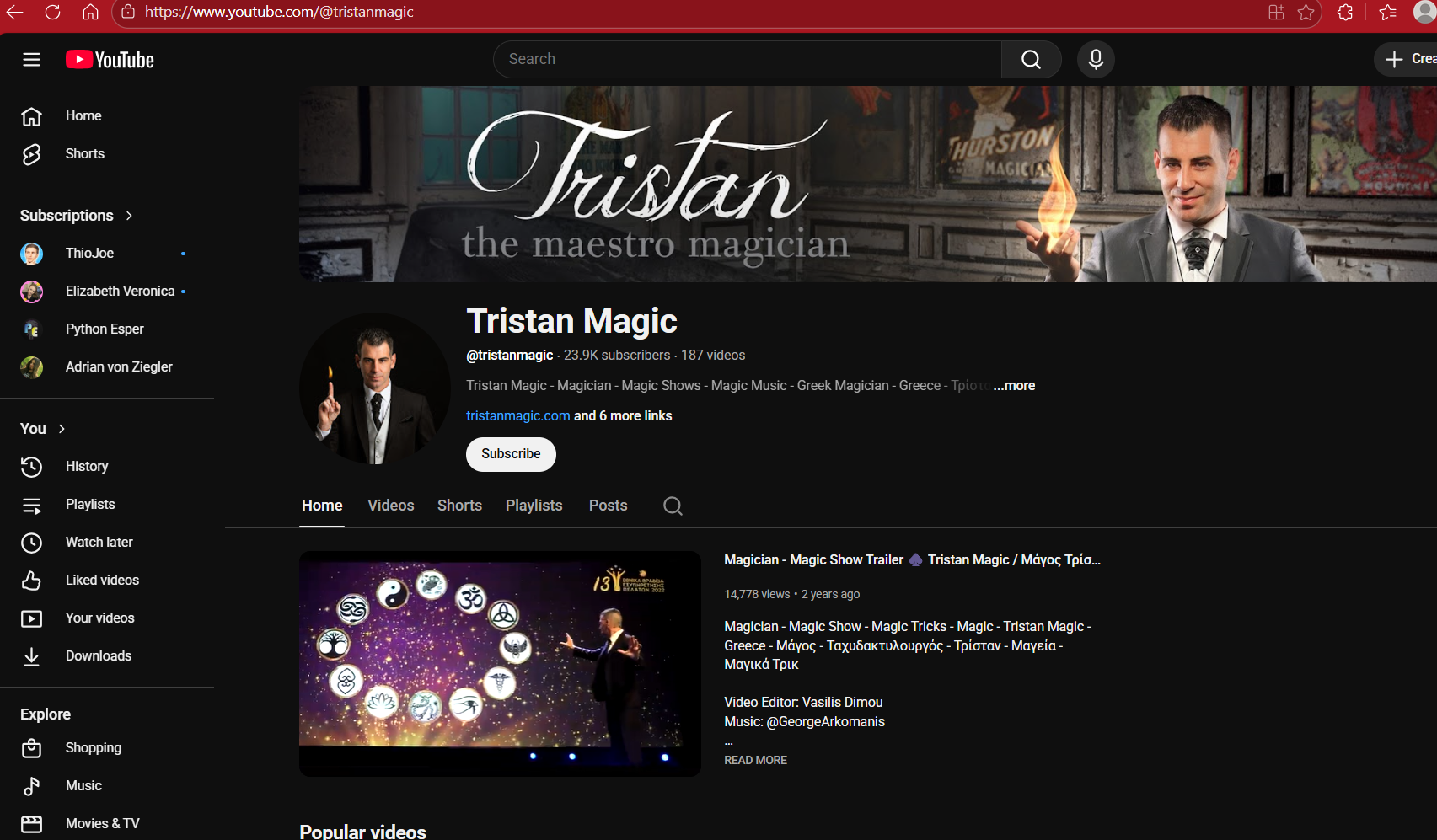
For this example, we will be using Tristan Magic’s page to find their Channel ID.
Hold “Ctl + U” to view the page source for the YouTube channel.
Hold “Ctl +F” to open the Find option and you will type in the following keywords to obtain this information.
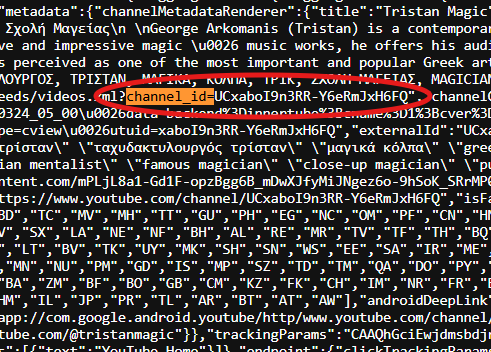
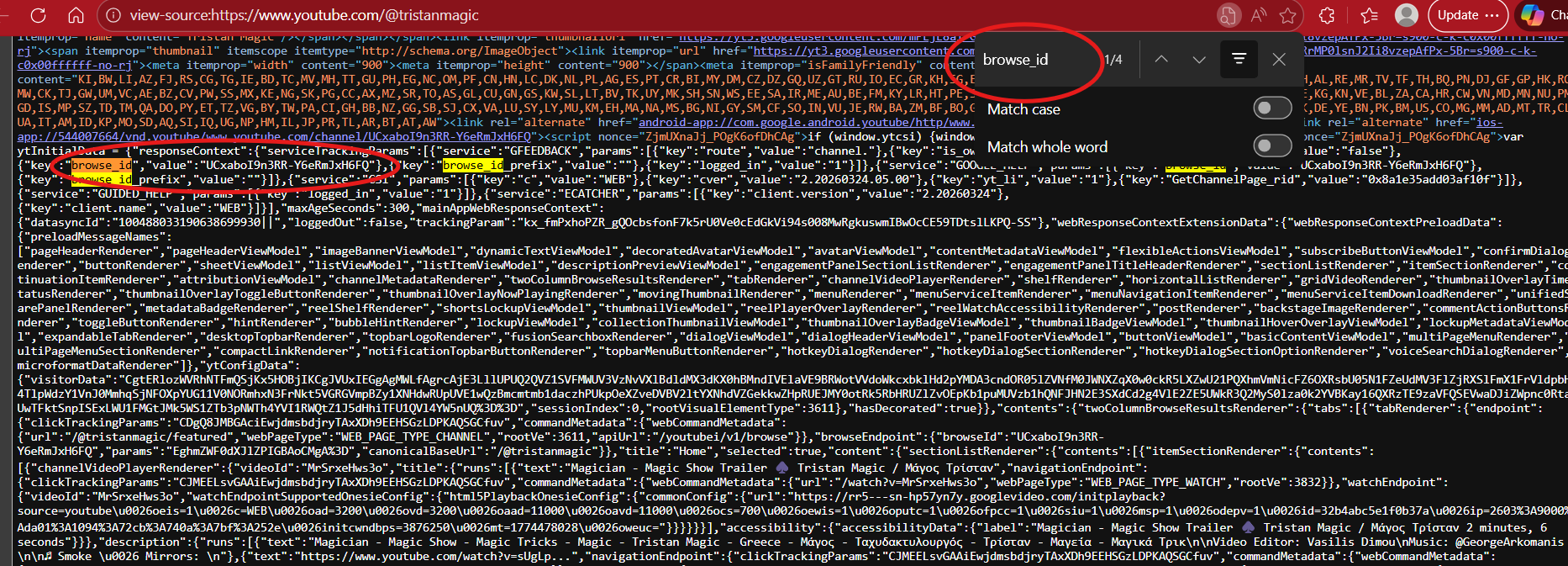
Type in the box: “channel_id=” or “browseid” or “browse_id”
The channel ID will begin with the letters “UC” and followed by various numbers and letters.