FAKE FACEBOOK PROFILE
Is this a fake profile? How can you tell. Here are a few ways to identify a possible fake profile:
Fake profiles are often new and lack history. Watch for:
Very recent join date
Few posts or only a handful of photos
Little to no interaction (likes, comments, shares)
👉 Real users typically have a longer, more consistent activity timeline.
2. Scammers frequently use:
Model-quality or overly polished photos
Images that appear elsewhere online (reverse image search can confirm)
Inconsistent photos that don’t match each other
👉 A quick reverse image search can expose stolen or reused images.
3. Inconsistent or Vague Personal Information
Fake accounts often have:
Missing details (no workplace, school, or hometown)
Contradictory information across posts and bio
Generic descriptions that lack personality
👉 Authentic profiles usually show cohesive life details over time.
4. Unusual Messaging Behavior
Be cautious if the account:
Sends friend requests quickly and messages immediately
Pushes conversations off-platform (WhatsApp, Telegram, etc.)
Uses scripted or repetitive language
👉 This is a common social engineering tactic used by scammers.
5. Requests for Money, Links, or Sensitive Information
One of the biggest warning signs:
Asking for money, gift cards, or financial help
Sending suspicious links (“Check this out!” or “Is this you?”)
Requesting personal data (email, phone number, login info)
👉 Legitimate users rarely make urgent or unusual requests like this.
Founded in 2004 by Mark Zuckerberg, Facebook has grown into one of the largest social media platforms in the world. Originally created as a network for college students, it quickly expanded globally and became a central hub for communication, news sharing, business promotion, and online communities.
Today, Facebook has over 3 billion monthly active users worldwide, making it one of the most widely used digital platforms in history. People use Facebook to stay connected with friends and family, join groups, follow organizations, and discover content tailored to their interests.
There also lies a dark side to Facebook. Cybercriminals often post or send links that appear legitimate but lead to:
Phishing websites designed to steal login credentials
Malware downloads that compromise devices
Fake login pages mimicking trusted services
These links are commonly spread through hacked accounts, fake profiles, or direct messages.
Scammers frequently create fake accounts to:
Impersonate real people, including military members, celebrities, or public figures
Build trust with victims over time
Manipulate users into sending money or personal information
These profiles often use stolen photos and fabricated identities.
Facebook is a common platform for scams such as:
Romance scams
Investment or cryptocurrency fraud
Marketplace scams (fake listings or non-delivery of goods)
“Urgent help” messages from compromised accounts
Scammers rely on social engineering tactics, exploiting trust, urgency, and emotion to deceive users.
INTELLIGENCE GATHERING
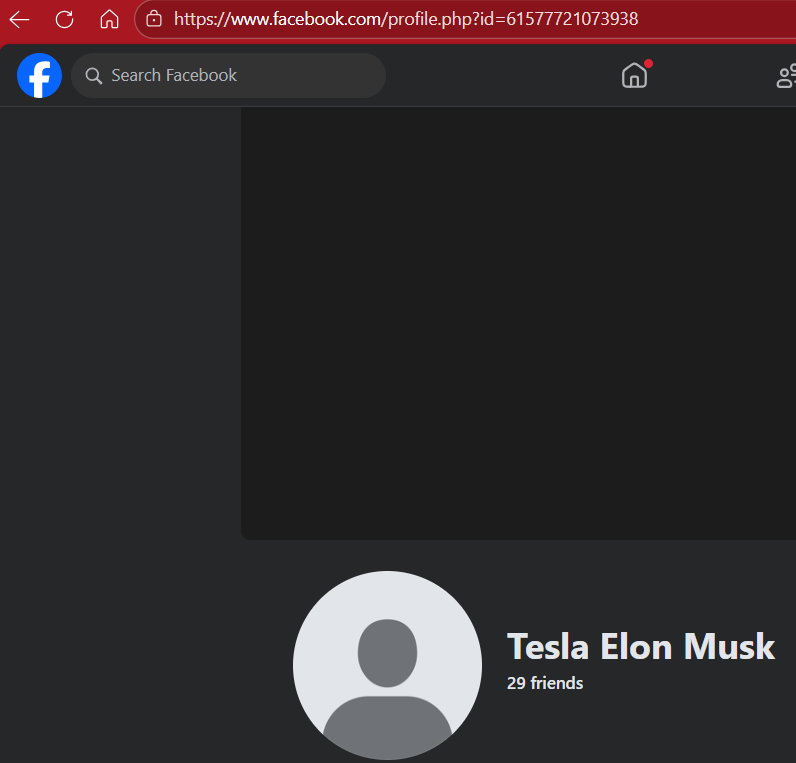
One way to easily identify a fake Facebook profile is to look at the profile URL. If the name is different than what is displayed, it is a fake. If you see in the profile URL that is says “profile.php?id=” and a bunch of numbers, usually that is the Facebook I.D. number.
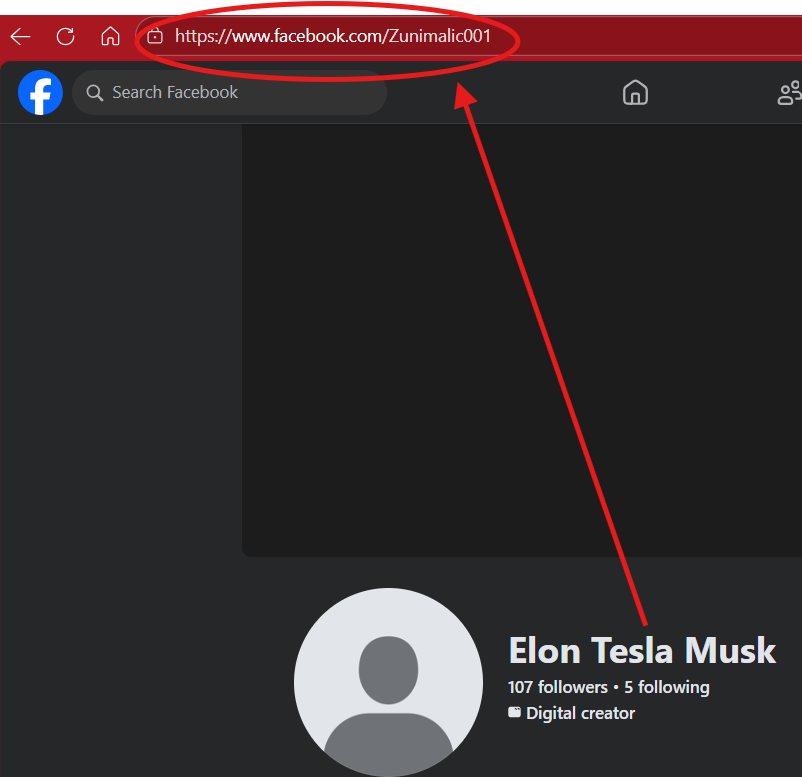
Here we have a fake Elon Musk profile that has Elon Musk displayed but the profile URL has a different name.
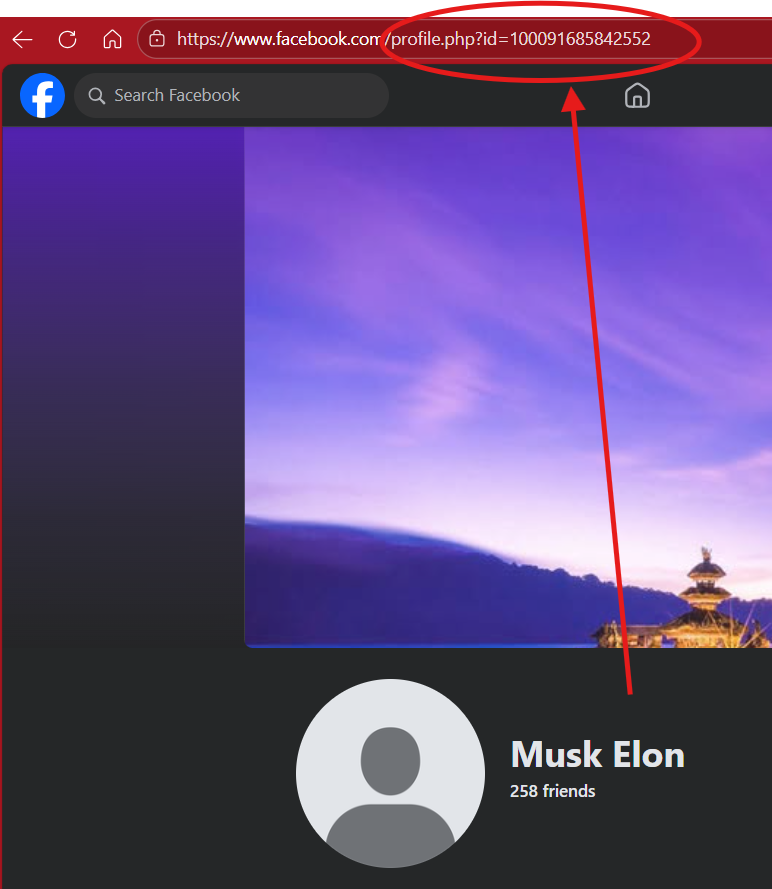
Here we have another fake Elon Musk profile that has a profile user ID in the URL.
FINDING THE FACEBOOK USER I.D.
Here is where find the unique user I.D. for a Facebook profile. This can be done only on a computer. On mobile devices, you can visit a third part webpage but use caution.
Click on the profile you want to get the Facebook user I.D. to.
2. On your computer, hold the “ctl” + “U” and the source code for the profile page will open up.
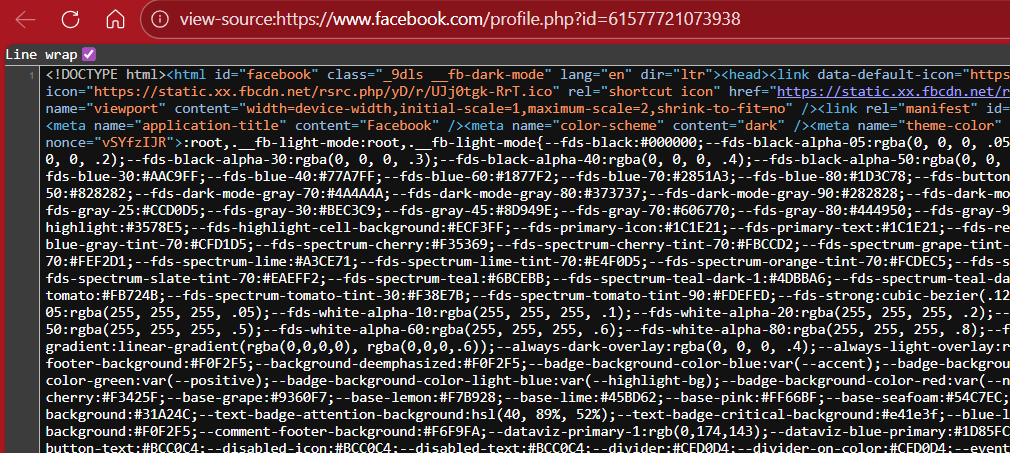
3. Hold “ctl” + “F” which is your find option. A box will open up. This is where you will type in the following key words to find the Facebook User I.D. number:
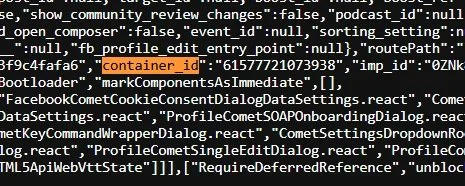
A. “container_ID”
B. “selectedID”
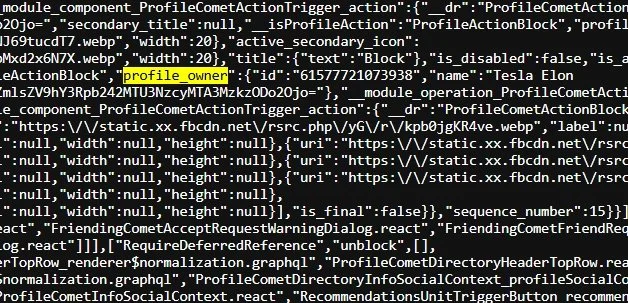
C. “profile_owner”
The user I.D. will be the set of numbers following the keyword and the colon.
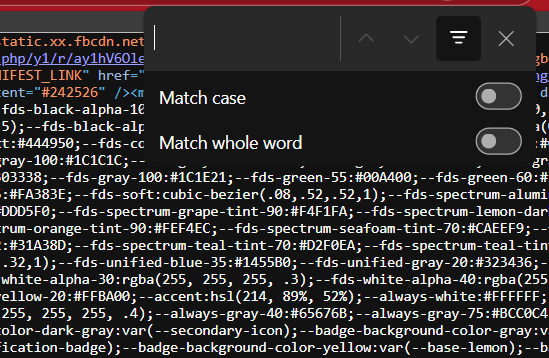
In the text box, type in one of the keywords noted above. Below are the three results when you type in those keywords. Keep in mind you may get multiple results for that word as it brings up all matching words, but the user ID will always be followed after the colon.
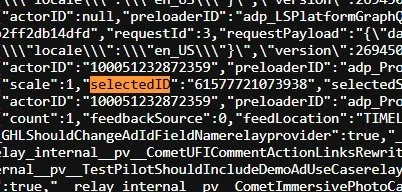
Remember, if the user changes their display name or the username in the profile URL, their Facebook user I.D. will never change. If you save the user I.D., plug it into the broswer as follows:
https://www.facebook.com/profile.php?id=“numerical I.D.”
or
https://www.facebook.com/”numerical I.D.”
Hit enter and the profile will pop right back up .