
TikTok is a short-form video platform that allows users to create, share, and discover videos—typically ranging from a few seconds to a few minutes—often set to music, trends, or challenges. It is known for its highly personalized “For You” page, which uses algorithms to recommend content based on user behavior.
Early development (2016–2018)
TikTok originated from the Chinese app Douyin, launched by ByteDance in 2016. In 2018, ByteDance merged TikTok with Musical.ly, a popular lip-syncing app, which helped TikTok rapidly expand its global user base, especially among younger audiences.
Rapid growth and cultural impact (2019–2021)
TikTok became one of the fastest-growing social media platforms, driven by viral trends, challenges, and influencer content. Its easy-to-use editing tools and powerful algorithm allowed unknown users to gain massive visibility quickly. During the COVID-19 pandemic, usage surged as people turned to the app for entertainment and connection.
Expansion and competition (2021–present)
TikTok has expanded beyond short clips by introducing longer videos, live streaming, shopping features, and monetization tools for creators. It has also influenced other platforms (like YouTube Shorts and Instagram Reels) to adopt similar short-form video formats. Today, TikTok is a major force in entertainment, marketing, education, and digital culture.
Common dangers on TikTok
1. Misinformation and harmful trends
Viral videos can spread false information quickly
Some challenges or “trends” may be dangerous or misleading
How to protect yourself:Verify information using trusted sources
Avoid participating in risky or unverified challenges
Be cautious of sensational or emotional content
2. Privacy and data exposure
Personal details can be revealed through videos, comments, or location clues
Accounts can be set to public by default
How to protect yourself:Set your account to private if appropriate
Limit what personal information you share (location, school, routines)
Review privacy settings regularly
3. Cyberbullying and harassment
Negative comments, duets, or stitches can target individuals
How to protect yourself:Use comment filters and restrict who can interact with your content
Block and report abusive users
Avoid engaging with harmful comments
4. Scams and phishing
Fake giveaways, brand deals, or links to external sites
Messages asking for personal info or money
How to protect yourself:Do not click suspicious links
Avoid sharing passwords or financial details
Verify brand deals through official channels
5. Mental health and overuse
Endless scrolling and comparison to others can affect self-esteem
Algorithm can push highly engaging (but sometimes negative) content
How to protect yourself:Set screen time limits
Curate your feed by following positive, educational content
Take breaks when needed
How to identify fake accounts on TikTok
1. Unusual usernames or impersonation
Slight variations of real creators’ names (extra letters, numbers)
2. Low-quality or stolen content
Reposted videos from other creators with no original content
Watermarks from other platforms
3. New or inactive accounts
Recently created profiles with few followers or videos
Sudden spikes in followers without engagement
4. Suspicious messages or offers
Claims like “You’ve won” or “DM me for a deal”
Requests to move conversations off TikTok (WhatsApp, Telegram)
5. Engagement doesn’t match
Many followers but very few likes or comments
Comments that look generic or bot-like
FINDING THE TIKTOK USER ID
Finding the Tik Tok user ID is via the page source. Once you find it, you can just plug it into the Tik Tok URL but always ensure that you put the “@” followed by the 19-digit number for it to work. We will use Trilogy media’s page for our example. Again, anytime a Tik Tok user changers their username or display name, their user ID never changes, allowing to always find their profile.
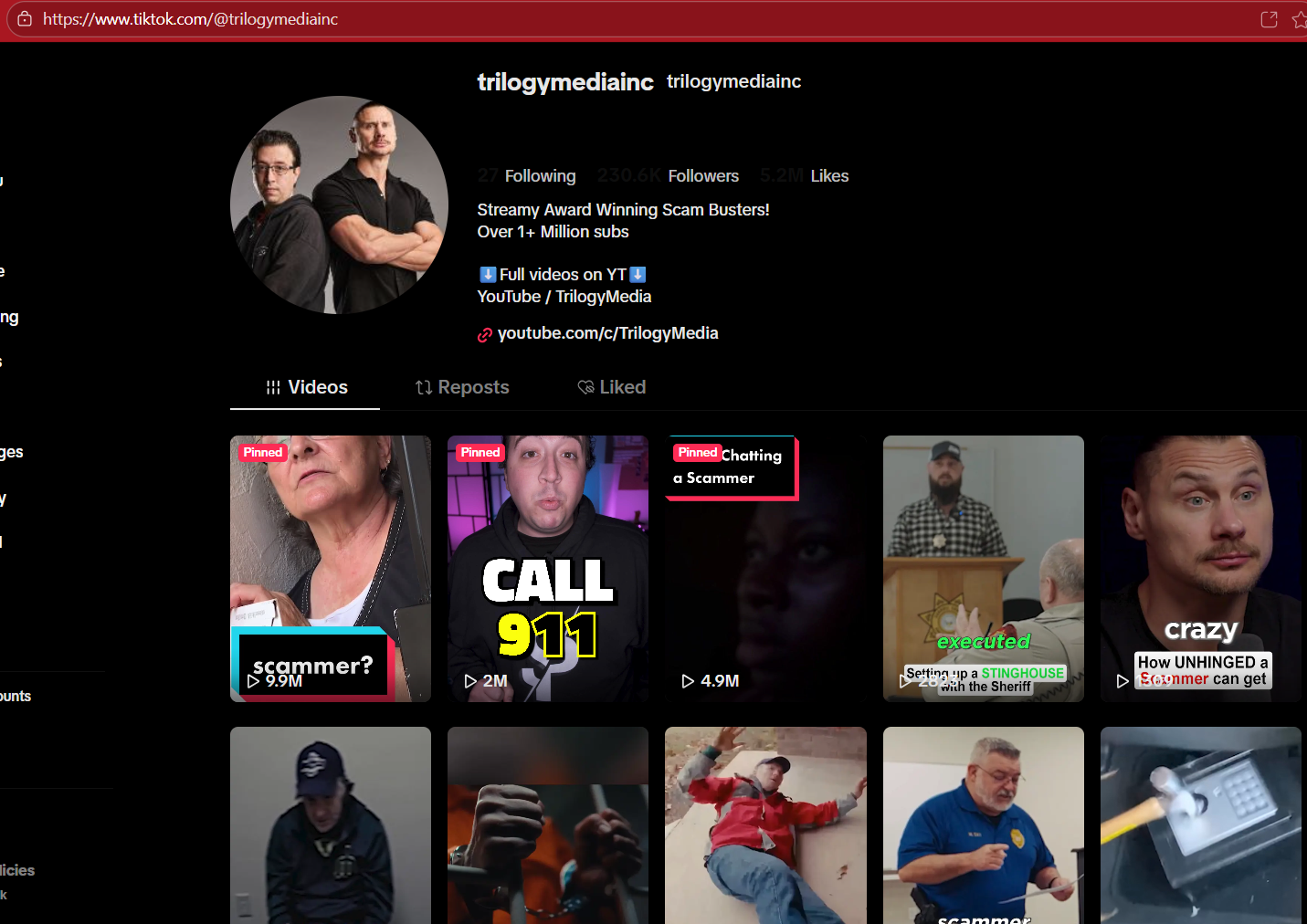
open up the page source on your computer by holding down “Ctl” + “U”. You will see a new page open with some coding.

2. Once this page is open, you want to open the search box. Hold “Ctl” + “F” to open this box. Here in the box you type in your keywords you will search for the User ID.
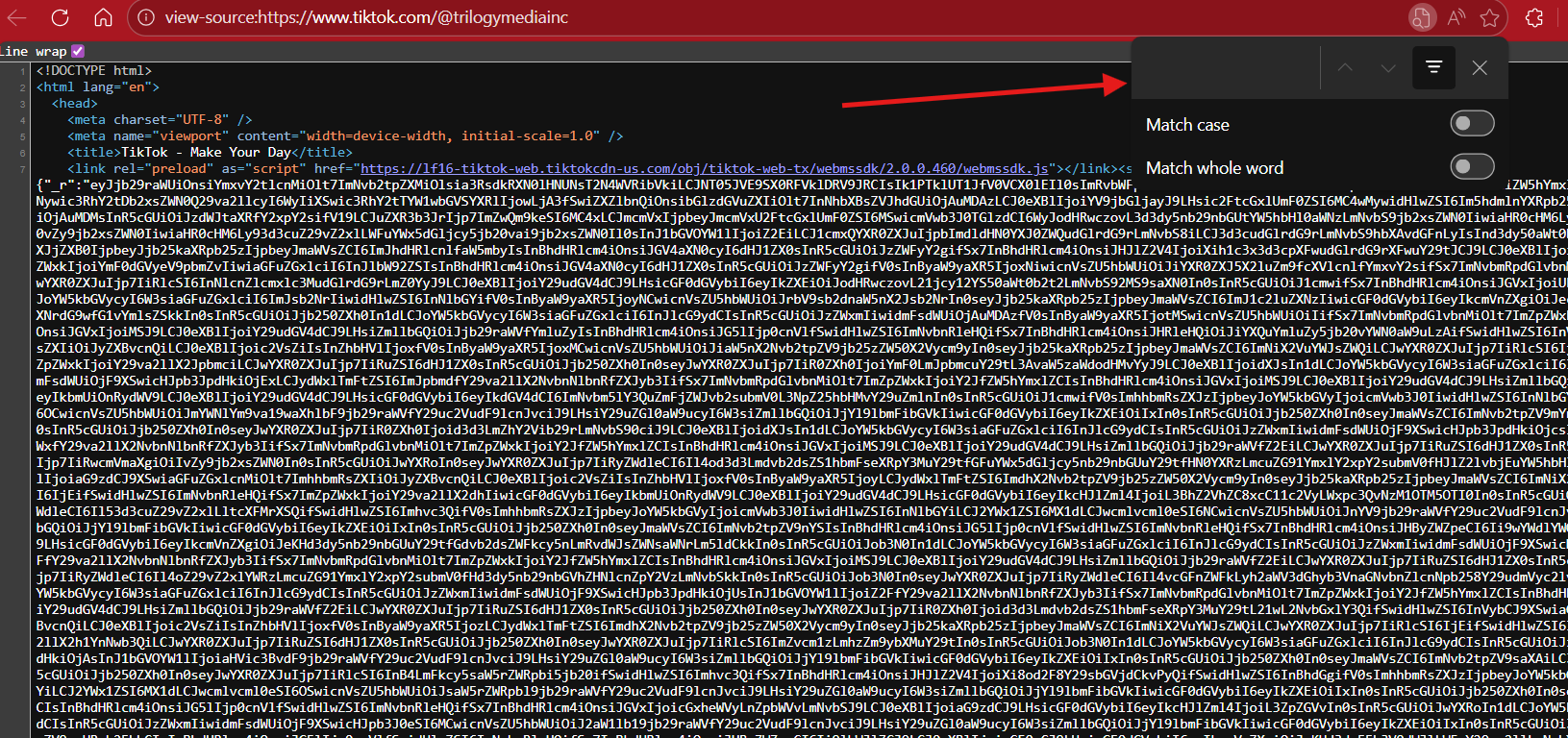
3. Type in the box the following keyword:
“shortId”
This will reveal only one result which will be the 19-digit number before the keyword. Below shows the result.
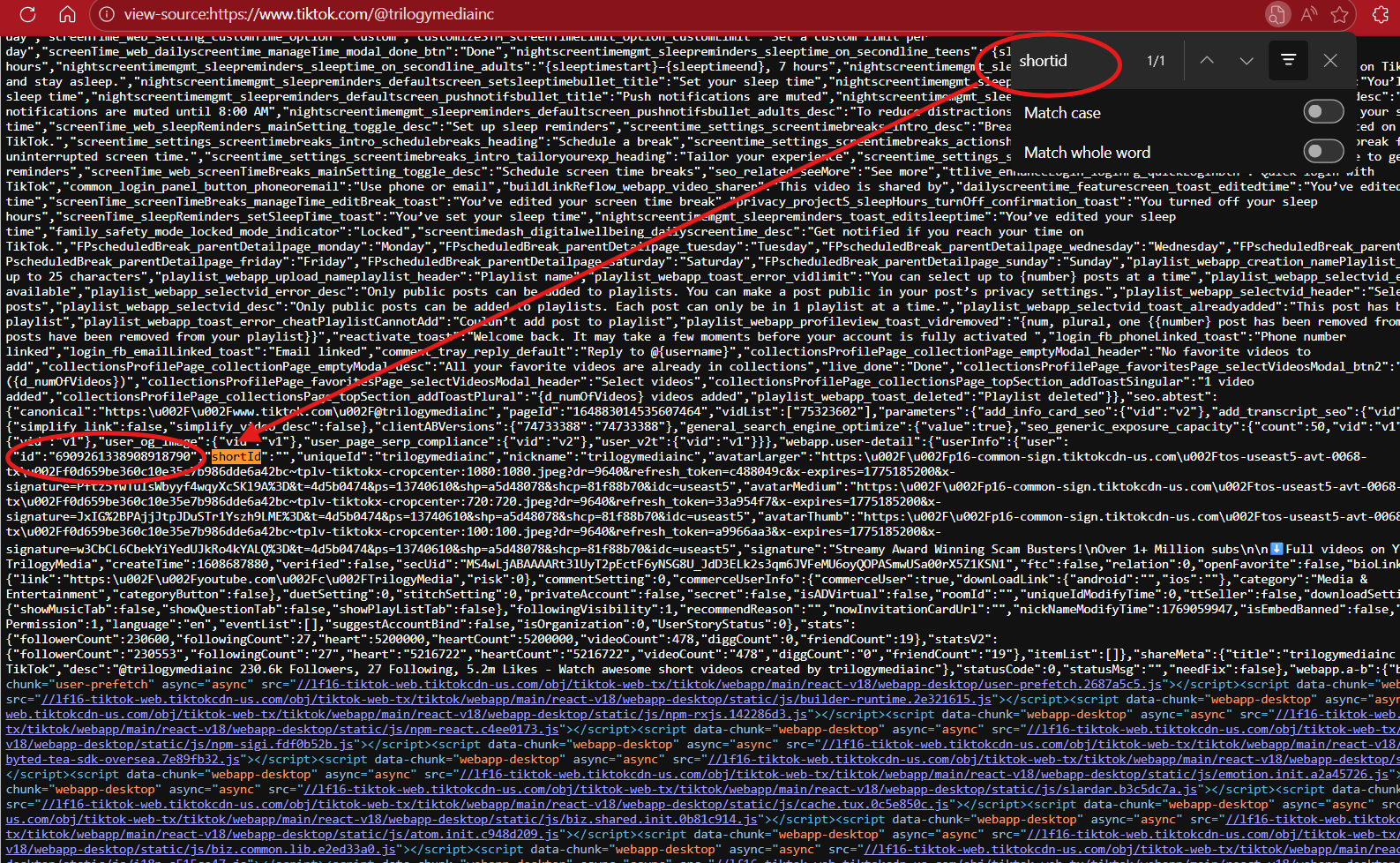
You can copy this number and paste it into the address bar as follows:
https://www.tiktok.com/@6909261338908918790
This will open their page if correct. Must have the “@” symbol for this to work.