DMV SCAMS
The department of motor vehicles have been a target lately for scams. It seems like almost every state has had these types of reports coming in with people stating they got a text or an email about a fine they own to the DMV or BMV and if they do not pay it, that a warrant will be put out for their arrest.
Here we will show one website that was created in hopes to deceive you in giving your money to them. This is one various of the scam and provided are screenshots of the website and ways to identify that the website is not legitimate.
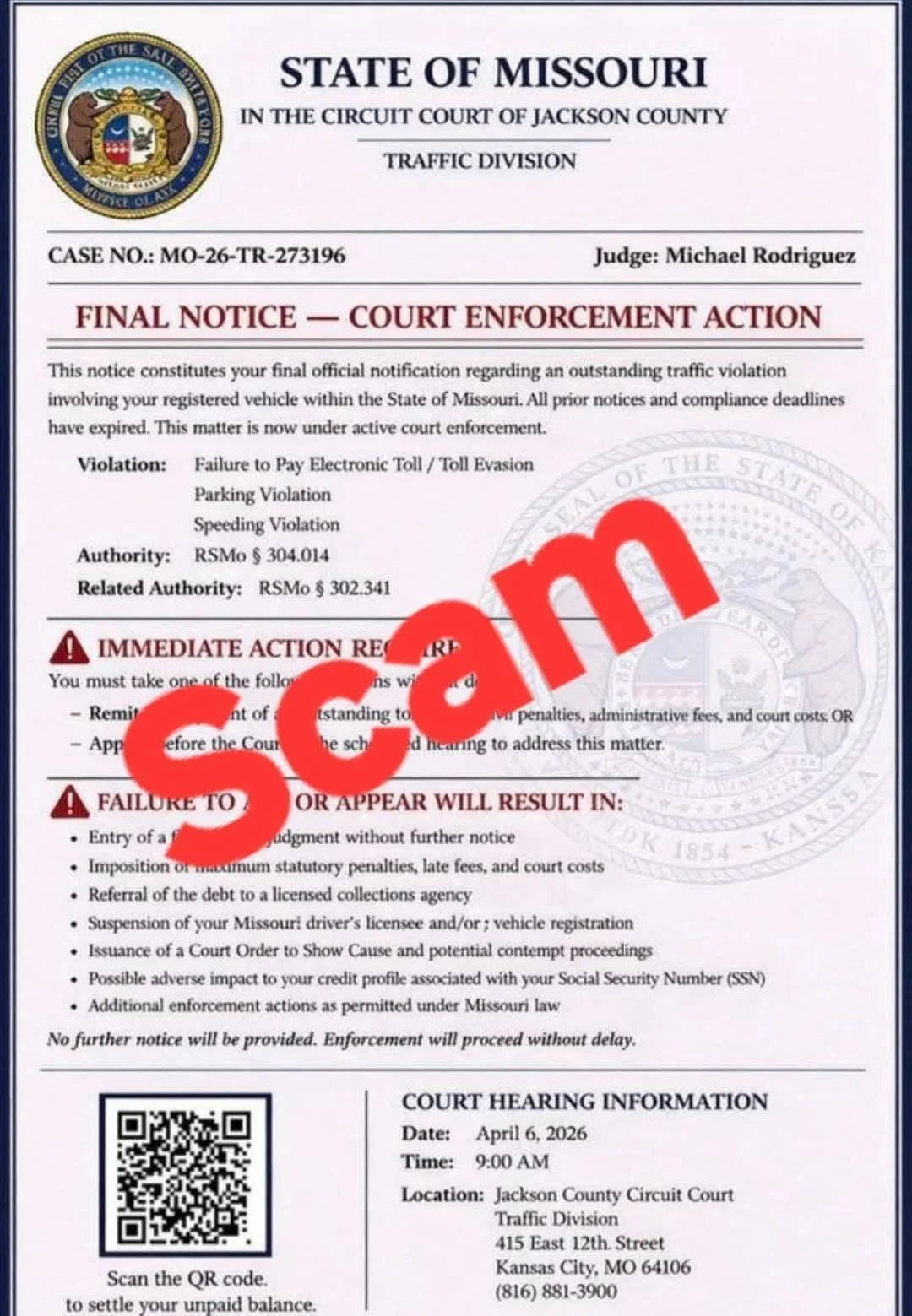
This image shows a notice from the State of Missouri traffic division. If you look closely, there are certain details that are displayed on the flyer.
There is a case number, most likely random and leads to nowhere. There is also the name of a Judge, which may be correct, but most of the time it is a made-up name.
Next detail is the violation and a statute or the law that was supposedly broken. After looking this up, it just shows the laws regarding the rules of the road.
Then, the notice states that immediate attention is required and a fine must be paid. Failure to pay will result in the following listed on the notice. Below that is a QR code that you are supposed to scan. This will lead to fake motor vehicle website where the phishing scam will begin to take place.
Let us take a deeper look at this website.
Decoding the QR code
First, you never want to scan a QR code without knowing where it leads to. Since links are now being easily identifiable as not legitimate, scammers are now resorting to QR codes in hopes you won’t know how to analyze it.
There are many third-party websites that can take a QR code and convert it to the original link. But it is always best to be able to this on your own via the command line in Command prompt, Powershell, or Linux terminal.
To convert the QR code to a link via the command line in windows, you must take the following steps:
Open up powershell and run it as adminstrator.
The tool you will install is called “qrtool” and must be installed with the following command: winget install --id sorairolake.qrtool -e
After successful installation, you can now run this tool using the following command via the windows command prompt or in powershell: qrtool decode image_path.jpg
The path, if unsure, can be found by finding the image of the QR code and “right clicking” and selecting “Copy as path” or holding down “Ctl + Shift + C” on the keyboard. then paste the copied path into the command line.
If on a mobile device, you can use the following website:
The Website
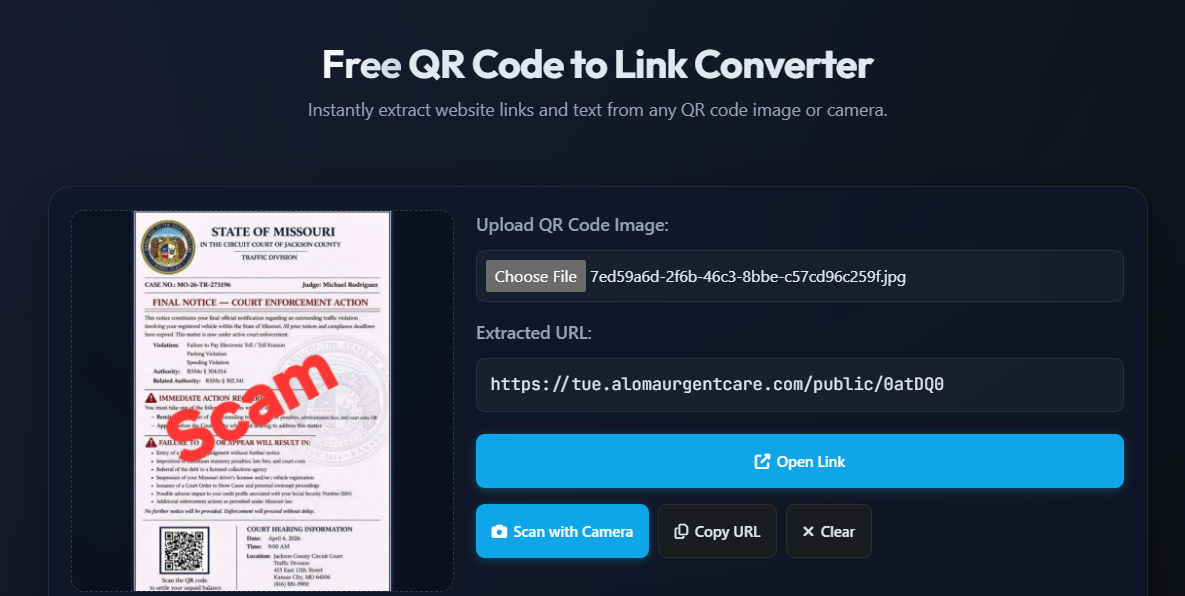
Now that we have decoded the QR code, we now see the link that the scammers want us to visit. For educational purposes, we went ahead and did for you. Do not do this as this was done in a virtual environment. The following screenshots are from the website that hides behind that QR code.
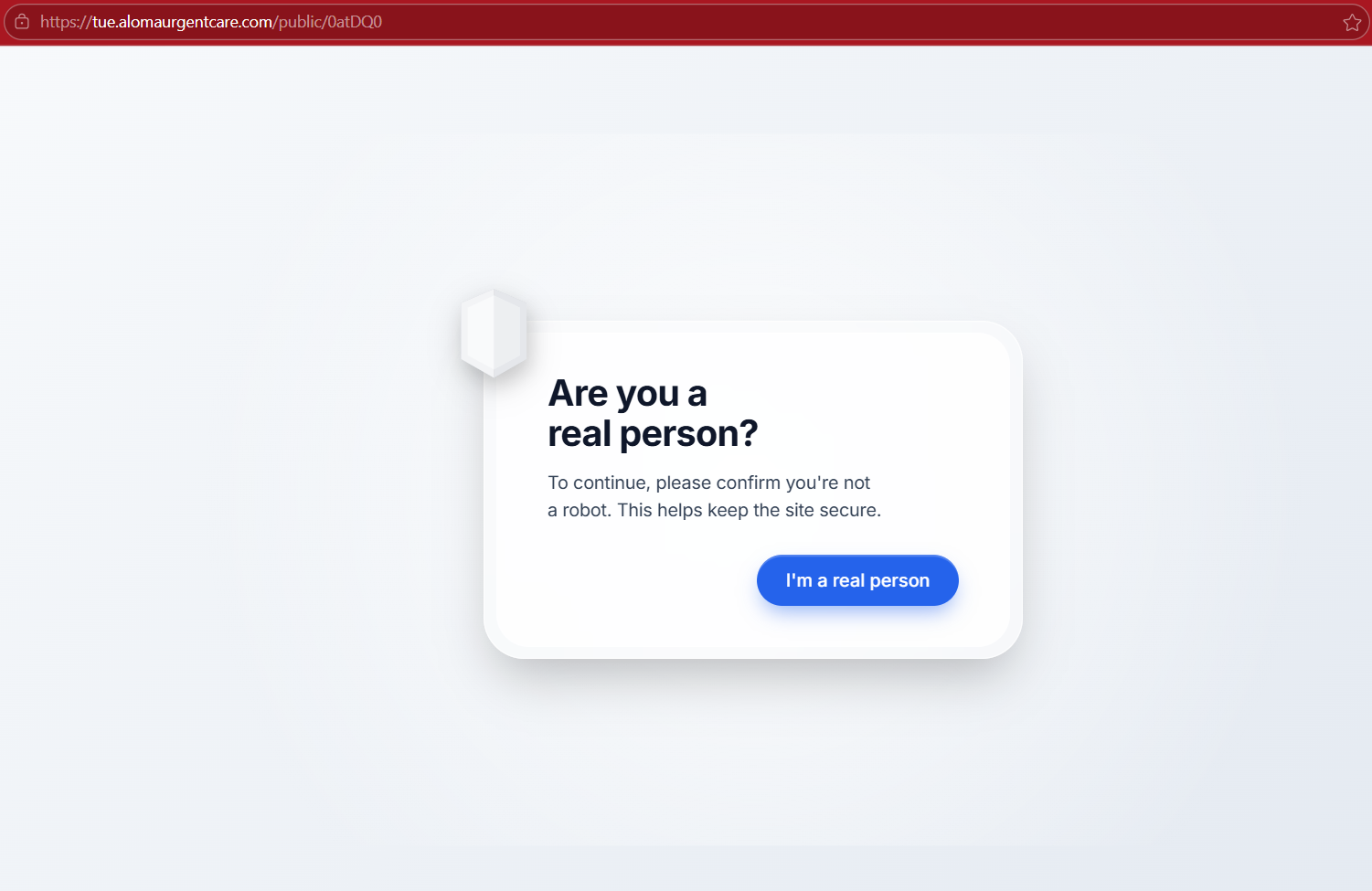
Here, you can see it wants to ensure we are not a bot. There are now malicious scripts using reCaptcha’s that when you click it, infect your device.
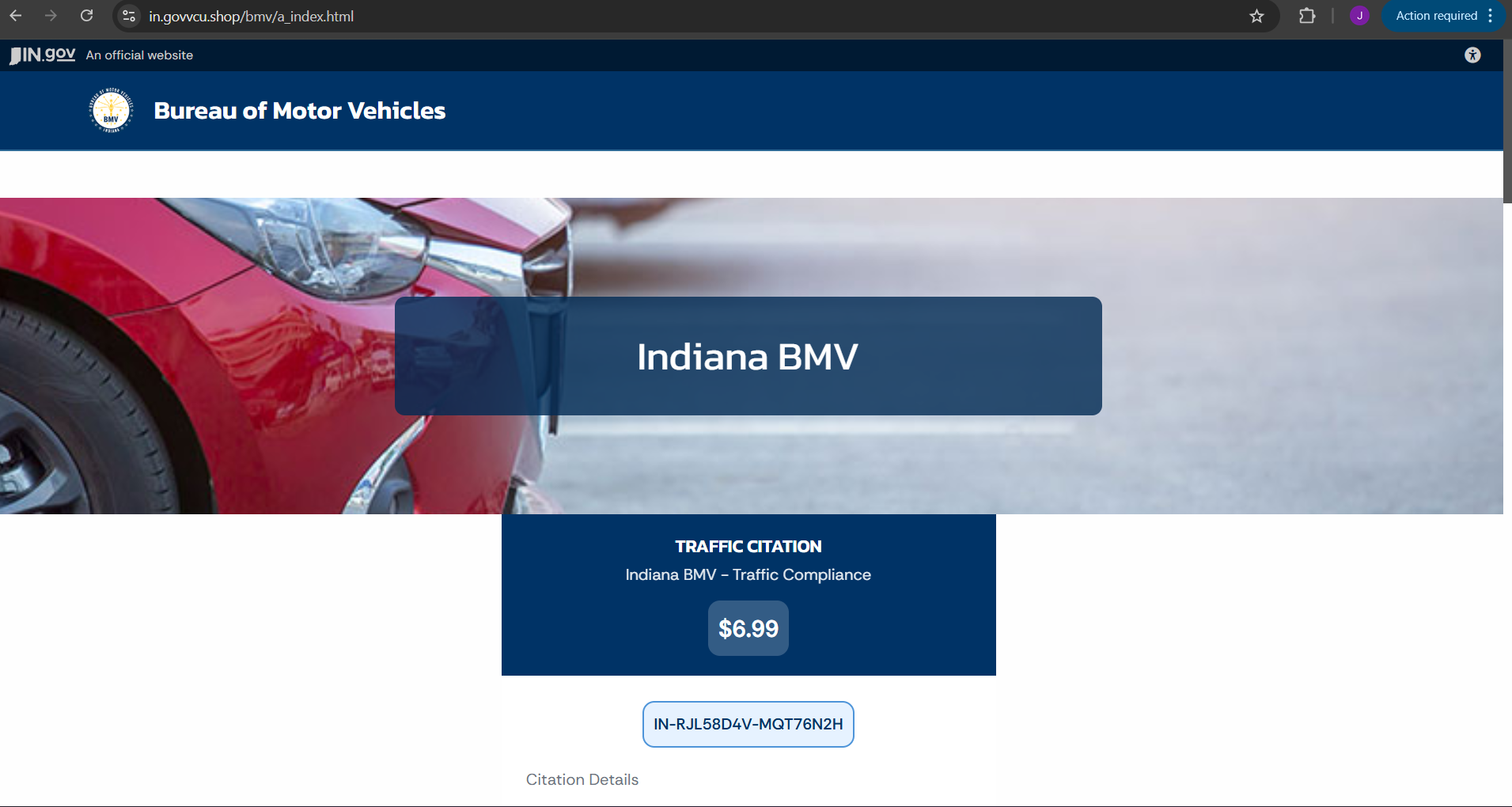
After clicking it, it brings us to the fake page but notice how it says “Indiana BMV” but the notice on the flyer said “Missouri DMV” which is a huge red flag that the page may be fake. We continued to poke around and see what else we could find.
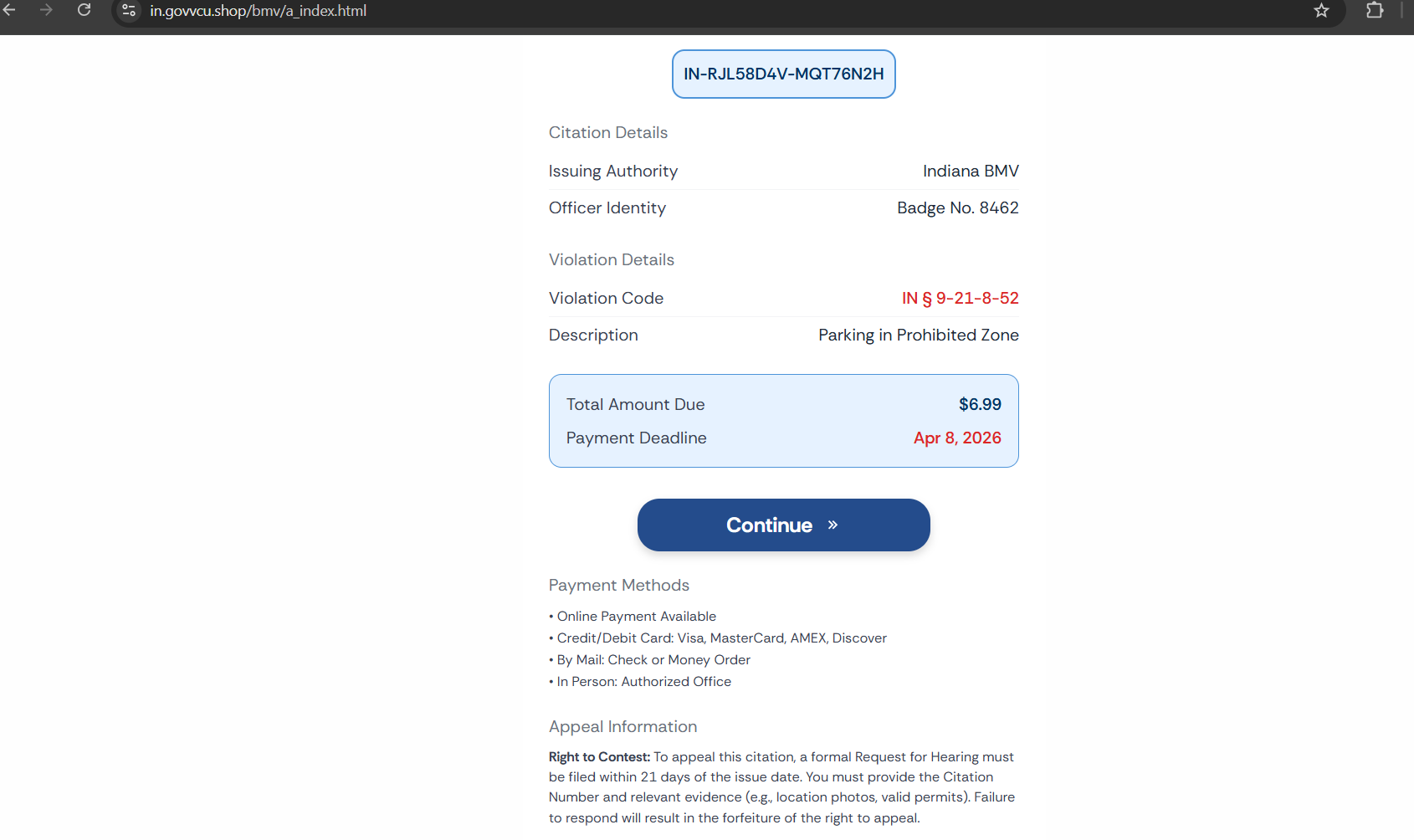
Here we can see the citation details. This shows the violation details, the violation code, and the amount of the fine that is due. There also is a payment deadline which may be a day or two ahead from the day of viewing the page to push urgency.
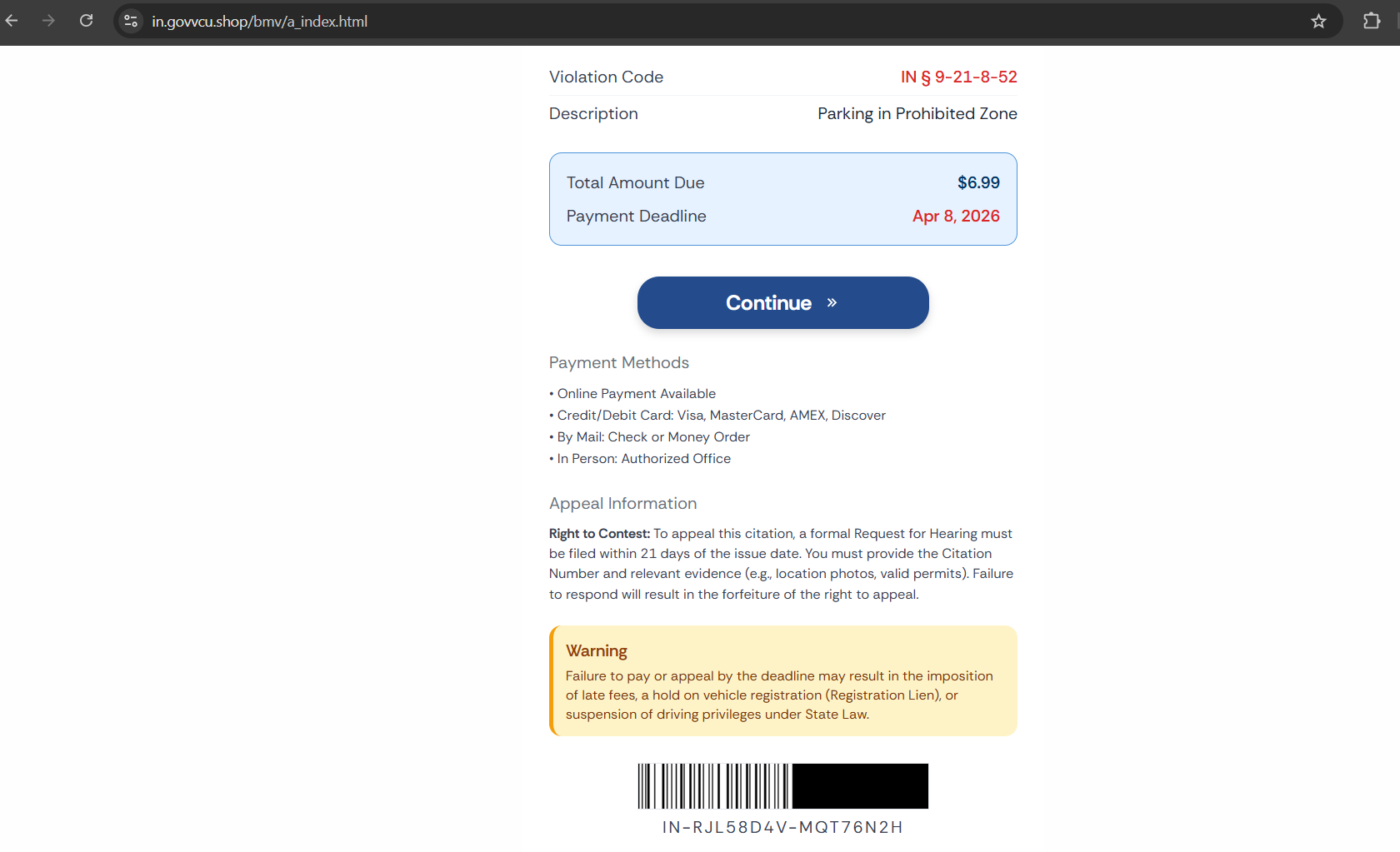
Scrolling down a little bit more shows us a ”Warning” that if you fail to pay or appeal this notice by the deadline may result in late fees, a hold on your registration, or suspension of your driver’s license. Let us continue and see what the next page gives us.
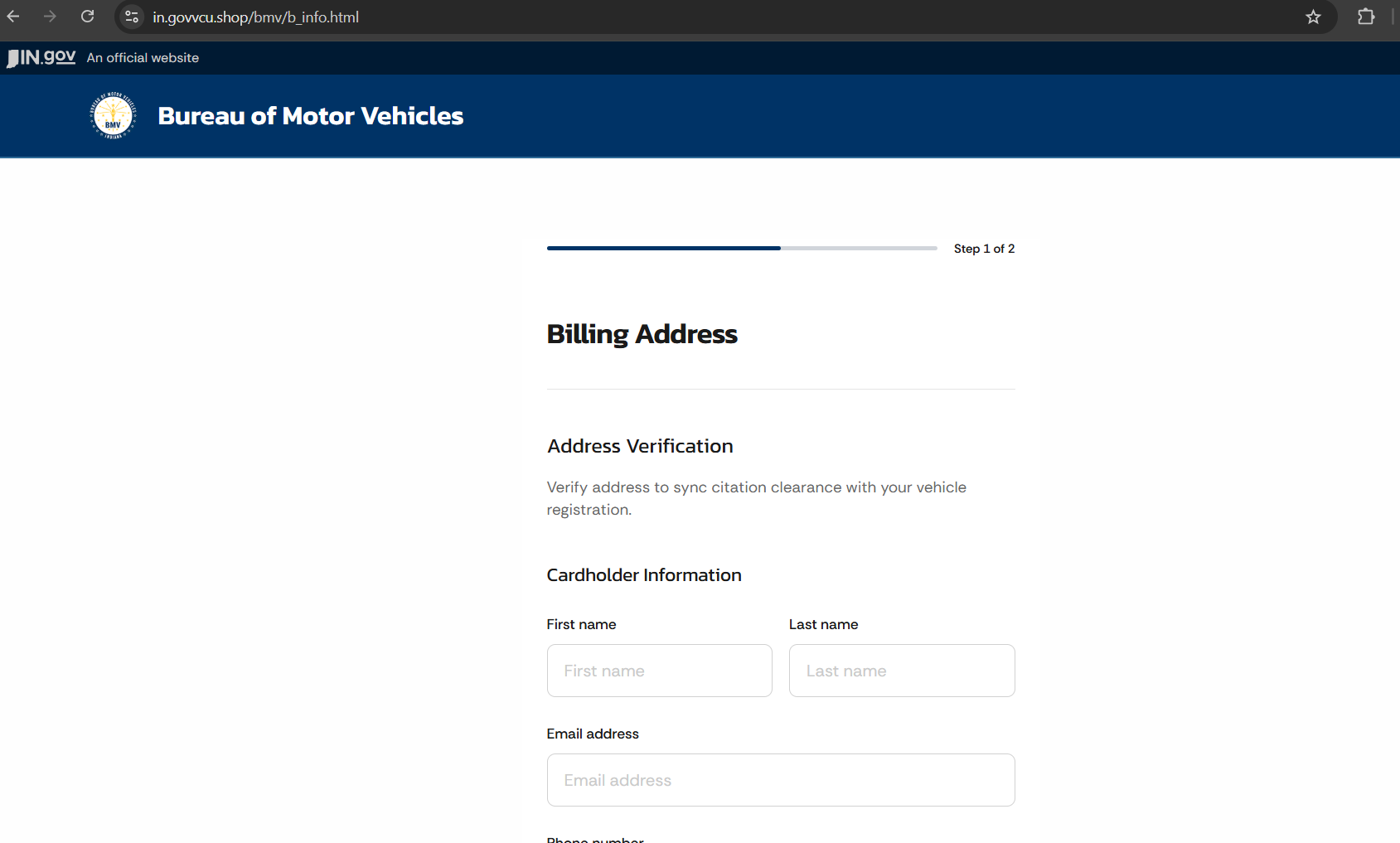
The next page after hitting “Continue” takes us to the phishing part of the scam. This here is asking for your Billing Address.
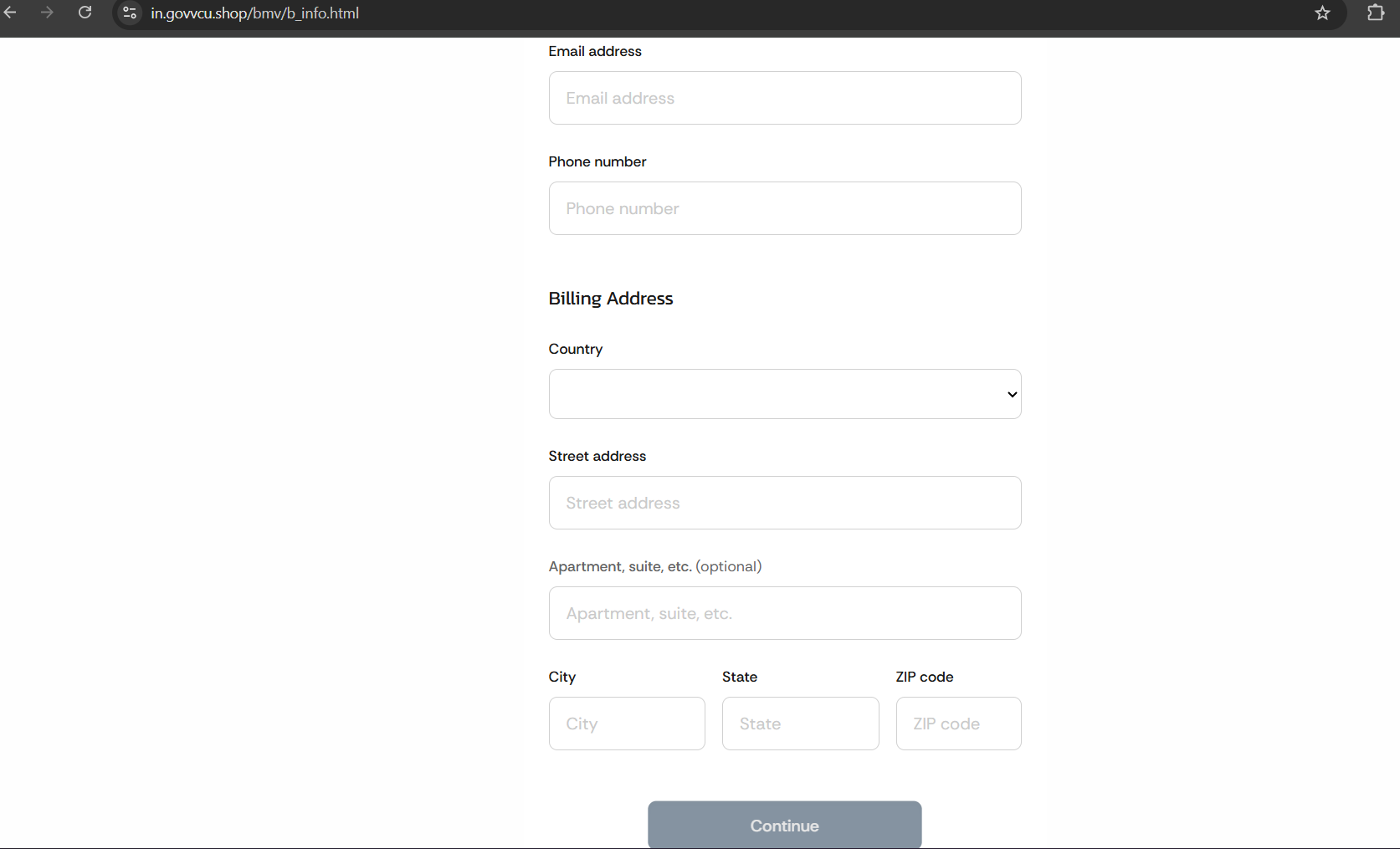
All the following information is saved into a text file from the scammer when this is filled out. Once this is all filled out, the next part of the scam takes you to the payment details where you will fill out the debit/credit card information.
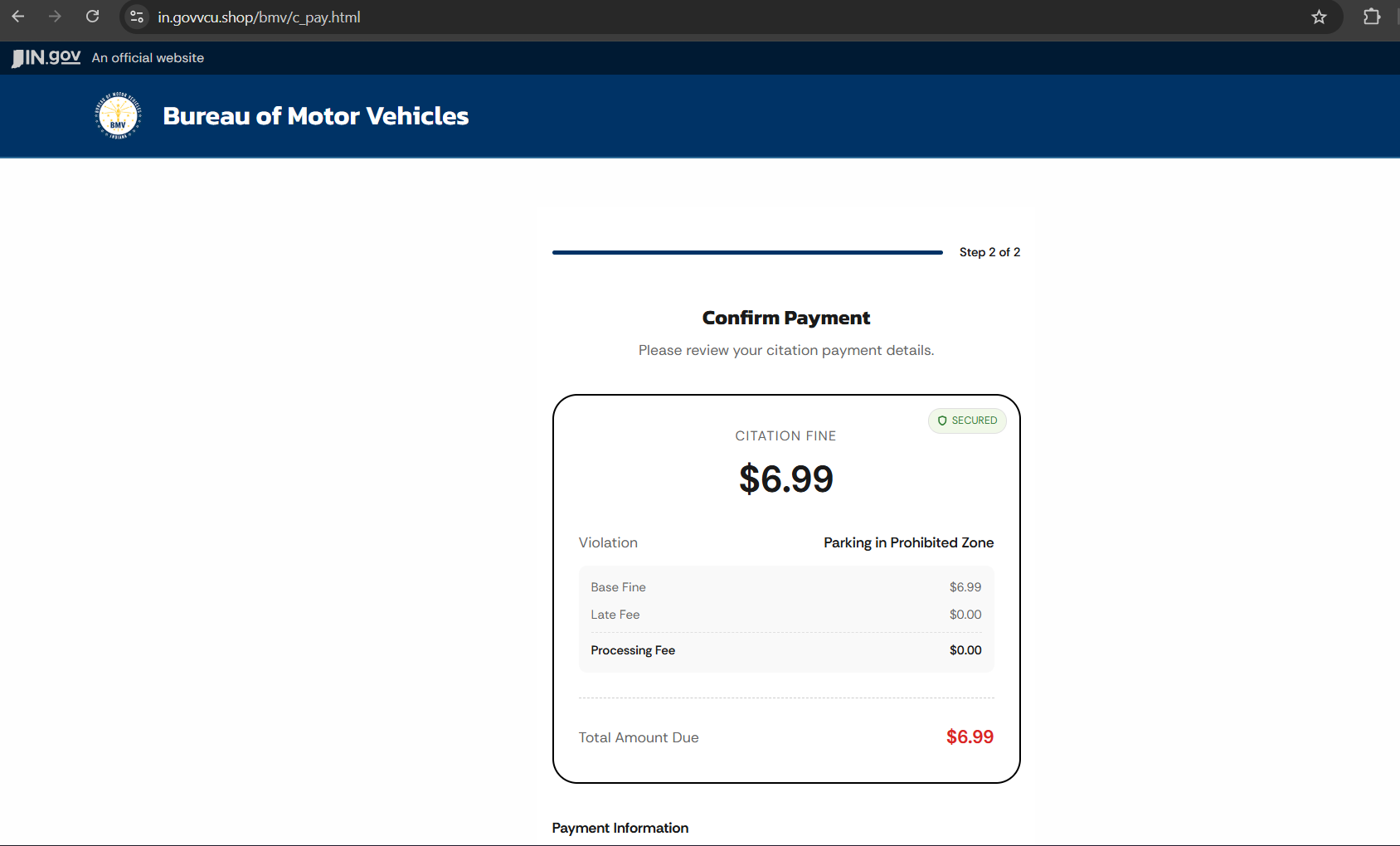
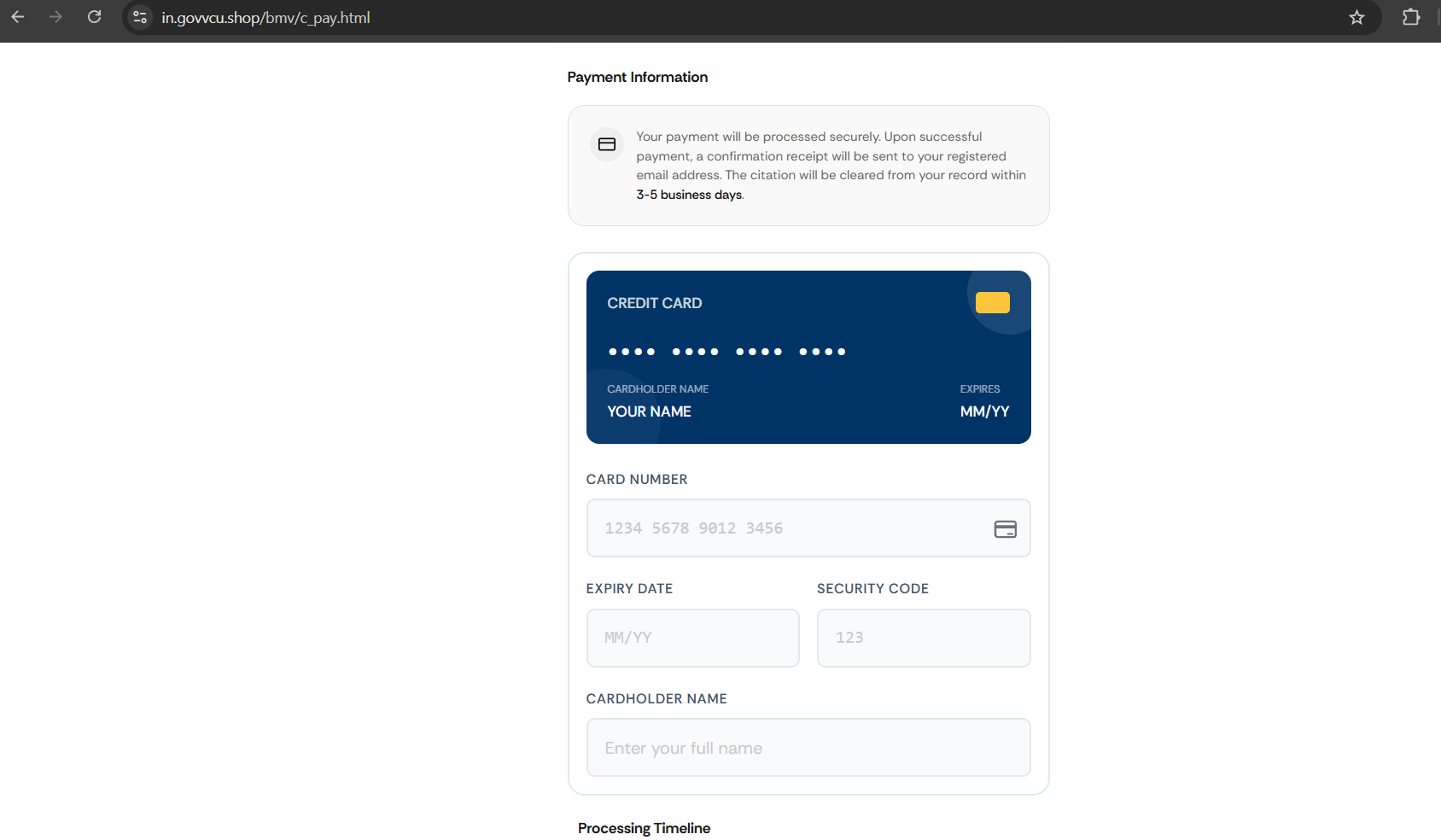
Once you fill in all the requested information on this page, hitting the submit button will then attempt to process the “payment” when the reality is that it is making efforts to charge your card with various amounts to whatever third-party website they designate, eventually draining your account.
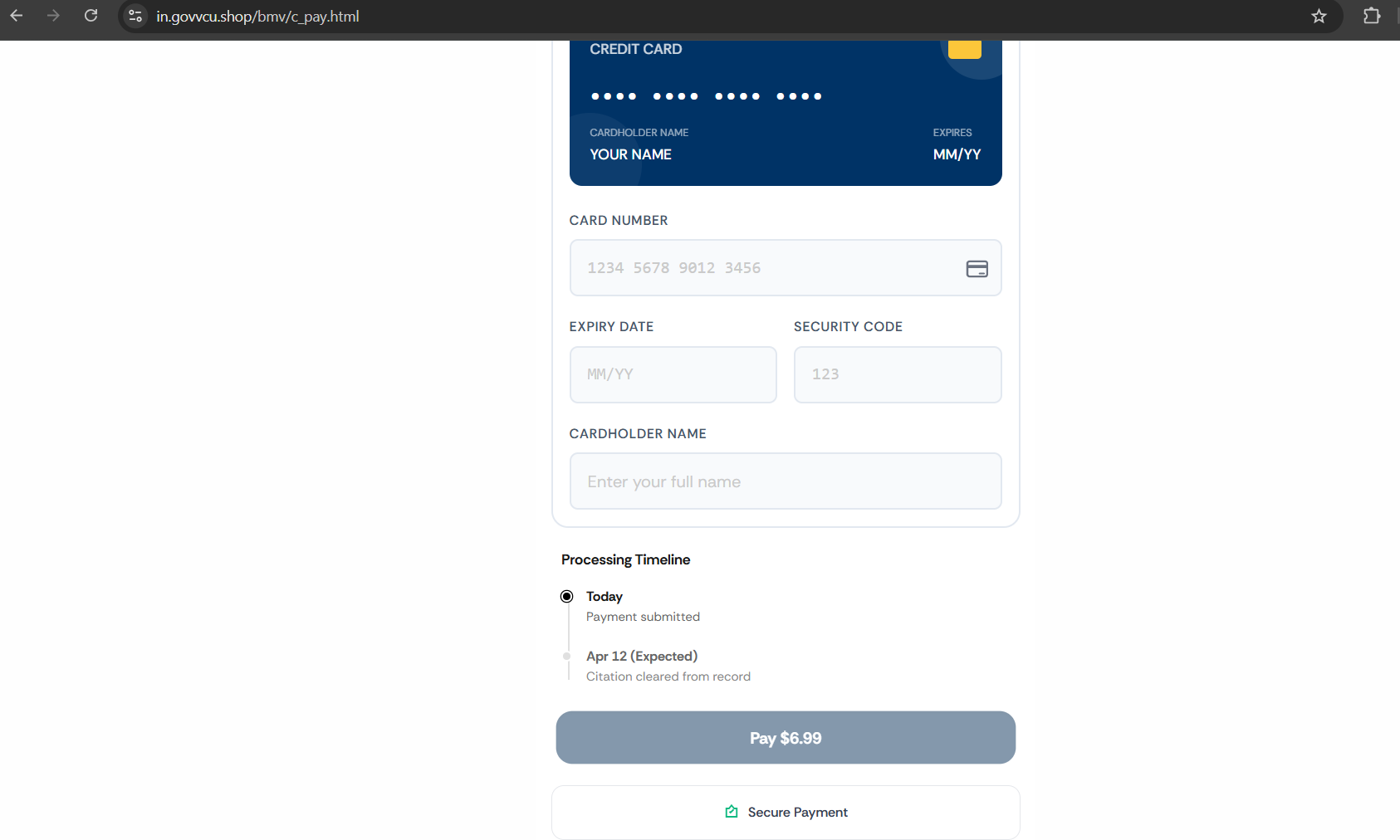
Some scammers will have the payment fail in order to lure you into providing another debit/credit card. This is one tactic they use to gather more cards to then charge them for gift cards etc.
One thing we noticed is when you hover over the tabs at the bottom of the page says “void” which means that those links lead to nothing. Clicking any of those tabs will just refresh the page.