BRUTE FORCE ATTACKS
What Is a Brute-Force Attack?
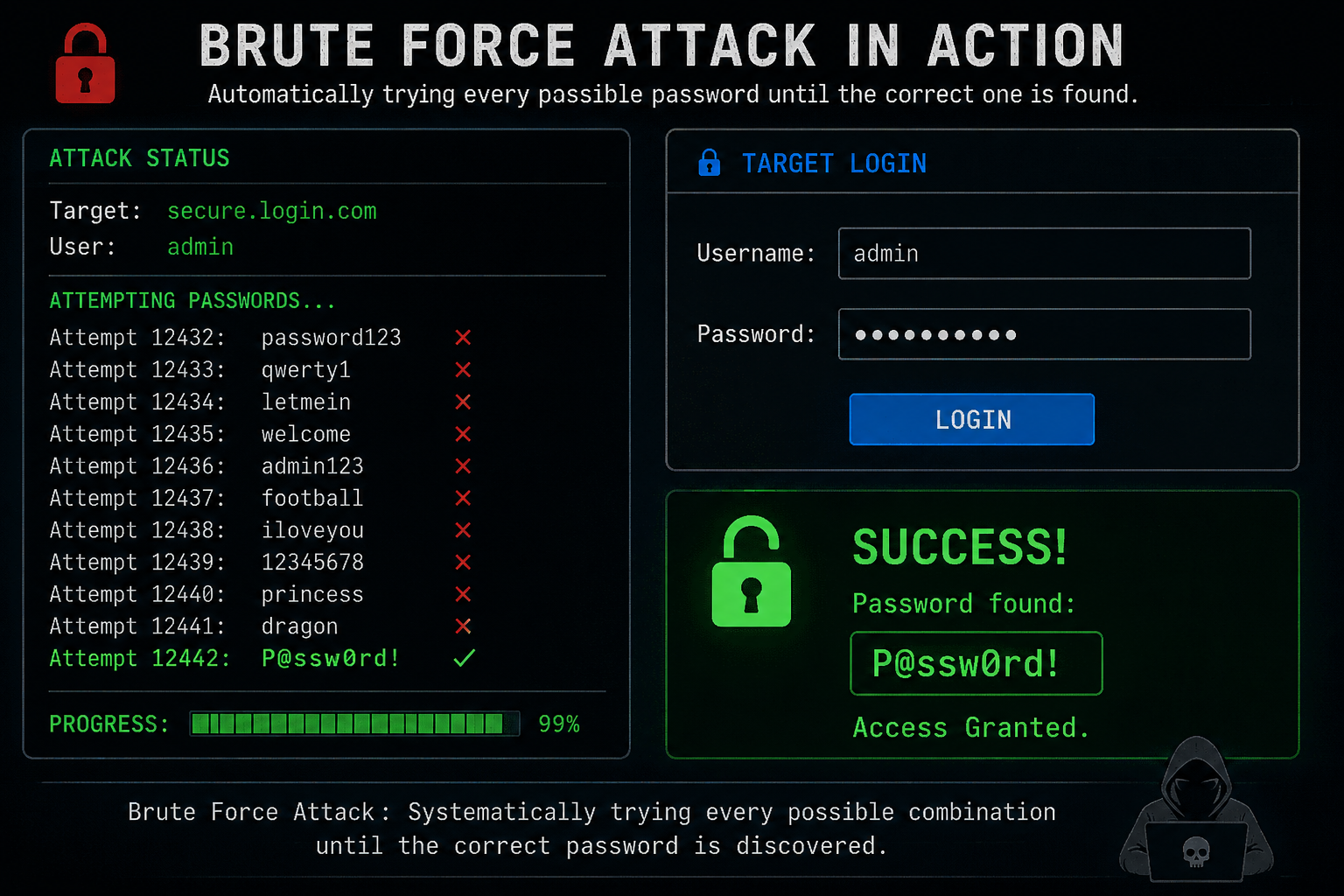
A brute-force attack is a type of cyberattack where someone repeatedly tries different passwords or login credentials until they find the correct combination.
Think of it like someone trying to open a locked door by testing every possible key they have. Instead of using a physical key, an attacker uses a computer program to automatically try different passwords.
The important idea is that a brute-force attack doesn't necessarily require the attacker to know the victim's password. They attempt to guess it through repeated trials.
Simple Example
Imagine a website has a login page:
Website: example.com/login
Username: john@example.com
The attacker already knows or guesses the username. They then try different passwords:
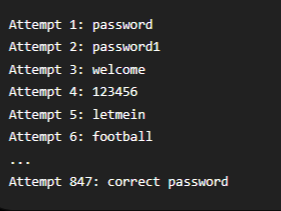
If the website allows unlimited login attempts and the correct password is eventually guessed, the attacker could gain access to the account.
A computer can perform these attempts much faster than a person could. That's what makes brute-force attacks particularly concerning.
How Does It Work?
At a basic level, a brute-force attack involves four steps:
1. Identify a target
The attacker finds a website's login page or another system requiring authentication.
2. Obtain a username or account name
This might be publicly available, discovered through previous data leaks, or guessed.
3. Try different passwords
Automated software can test large numbers of possible passwords.
4. Stop when a successful login occurs
If the website does not adequately limit attempts, the attacker may eventually discover the correct password.
Different Types of Brute-Force Attacks
Not every brute-force attack works exactly the same way.
Traditional brute force:
The attacker systematically tries many possible combinations.
Dictionary attack:
Instead of trying every possible combination, the attacker tries passwords from a list of commonly used words and passwords.
For example: password
welcome
football
monkey
qwerty
123456DD
Credential stuffing:
Attackers use usernames and passwords obtained from previous data breaches and try them on other websites. This works because some people reuse the same password across multiple websites.
Password spraying:
Instead of trying many passwords against one account, the attacker tries one commonly used password against many different accounts. This can sometimes avoid triggering account-specific protections.
Why Is It Dangerous?
A successful brute-force attack can potentially give an attacker access to:
Email accounts
Social-media accounts
Online banking
Shopping accounts
Company systems
Personal information
Private messages and files
For businesses, compromised accounts can sometimes be used as a starting point for larger attacks.
How Websites Protect Against Brute-Force Attacks
Web developers can make brute-force attacks much more difficult by implementing security controls such as:
1. Rate limiting: Restricting how many login attempts can be made within a certain period.
2. Temporary account lockouts: Temporarily preventing additional attempts after repeated failures.
3. Multi-factor authentication (MFA): Requiring something in addition to a password, such as a verification code or authentication app.
4. CAPTCHA: Asking the user to complete a challenge designed to distinguish humans from automated programs.
5. Strong password requirements: Encouraging long, unique passwords.
6. Monitoring: Detecting unusual numbers of failed login attempts and alerting administrators.
An Easy Way to Remember It
Think of a brute-force attack as:
"Try, try, try, until something works."
The attacker isn't necessarily using sophisticated hacking techniques. Instead, they're taking advantage of repeated attempts, automation, weak passwords, or insufficient protections on the website.
For users, one of the best defenses is to use long, unique passwords and enable MFA whenever it is available.