Instagram was launched in October 2010 by Kevin Systrom and Mike Krieger. The original idea was simple: a mobile app where users could post square photos with filters to make them look polished and artistic. It quickly gained popularity, reaching about one million users within two months.
In 2012, Facebook (now Meta) acquired Instagram for roughly $1 billion. After that, the platform expanded rapidly. Key features were introduced over time:
2013: Video sharing
2016: Stories (inspired by Snapchat), allowing temporary posts that disappear after 24 hours
2018: IGTV for longer videos (later merged into standard video)
2020 onward: Reels, short-form videos designed to compete with TikTok
Today, Instagram is used by over a billion people worldwide and plays a major role in influencer culture, marketing, news dissemination, and entertainment.
While Instagram can be positive, it also carries several risks—especially when profiles are public or loosely managed.
1. Privacy risks
Many users share personal details (location, daily routines, relationships), which can expose them to:
Stalking or harassment
Identity theft
Doxxing (publishing private information without consent)
2. Scams and impersonation
Just like Facebook, malicious actors often create fake profiles to:
Impersonate real people or brands
Run phishing scams (e.g., fake giveaways asking for personal info)
Trick users into sending money or clicking harmful links
3. Social engineering
Attackers study profiles to gather information (birthdays, interests, friends), which they can use to:
Guess passwords or security questions
Craft convincing messages to manipulate victims
4. Cyberbullying and harassment
Instagram can be used to:
Spread rumors or hateful content
Target individuals through comments or direct messages
Create fake accounts to harass anonymously
5. Misinformation and manipulation
Profiles (sometimes automated “bot” accounts) may:
Spread false information
Promote extremist or misleading content
Influence opinions or behavior at scale
6. Exploitation and grooming risks
In some cases, predators use Instagram to:
Contact minors
Build trust over time
Manipulate or exploit vulnerable individuals
INTELLIGENCE GATHERING
Here are five common signs that an Instagram profile may be fake:
Low-quality or stolen profile photos
The profile picture may look like a stock image, a celebrity photo, or something that appears overly polished. Reverse image searches often reveal the image is taken from elsewhere.Very few posts or inconsistent content
Fake accounts often have little to no content, or posts that seem random, unrelated, or reposted from other sources without a clear personal connection.Unusual follower-to-following ratio
They may follow hundreds or thousands of accounts but have very few followers—or the opposite (many followers that appear inactive or bot-like).Generic or suspicious usernames and bios
Usernames may include random numbers or letters (e.g., “user8473921”), and bios are often vague, overly promotional, or include suspicious links.Spammy or odd behavior
This includes sending unsolicited messages, promoting giveaways that seem too good to be true, asking for personal information, or leaving repetitive comments across many posts.
If multiple of these signs appear together, there’s a higher chance the profile isn’t legitimate.
FAKE INSTAGRAM PROFILE
How do we know if the profile is a fake? Just like Facebook, there are certain identifiers that can tell us the person behind it is not who they say they are.
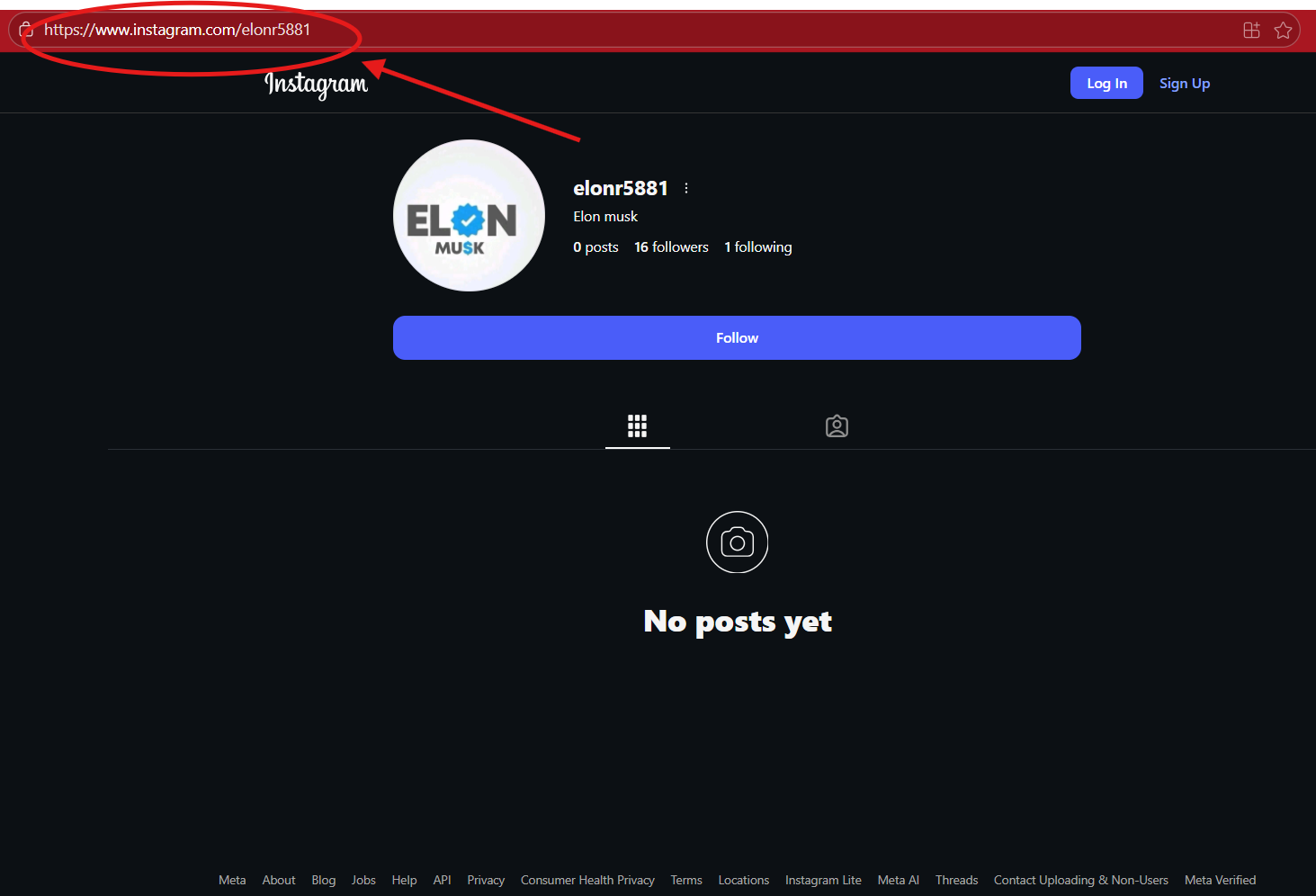
Could this be a fake Elon Musk Instagram profile?
Maybe you can conduct a username search to see if any other profiles come up. Maybe it is a scammer profile. Let us dig more and search for the user I.D.
FINDING THE INSTAGRAM USER I.D.
Here is how we find the unique user I.D. for an Instagram profile.
Click on the profile you want to get the Instagram user I.D. to. We will use the Elon Musk profile.
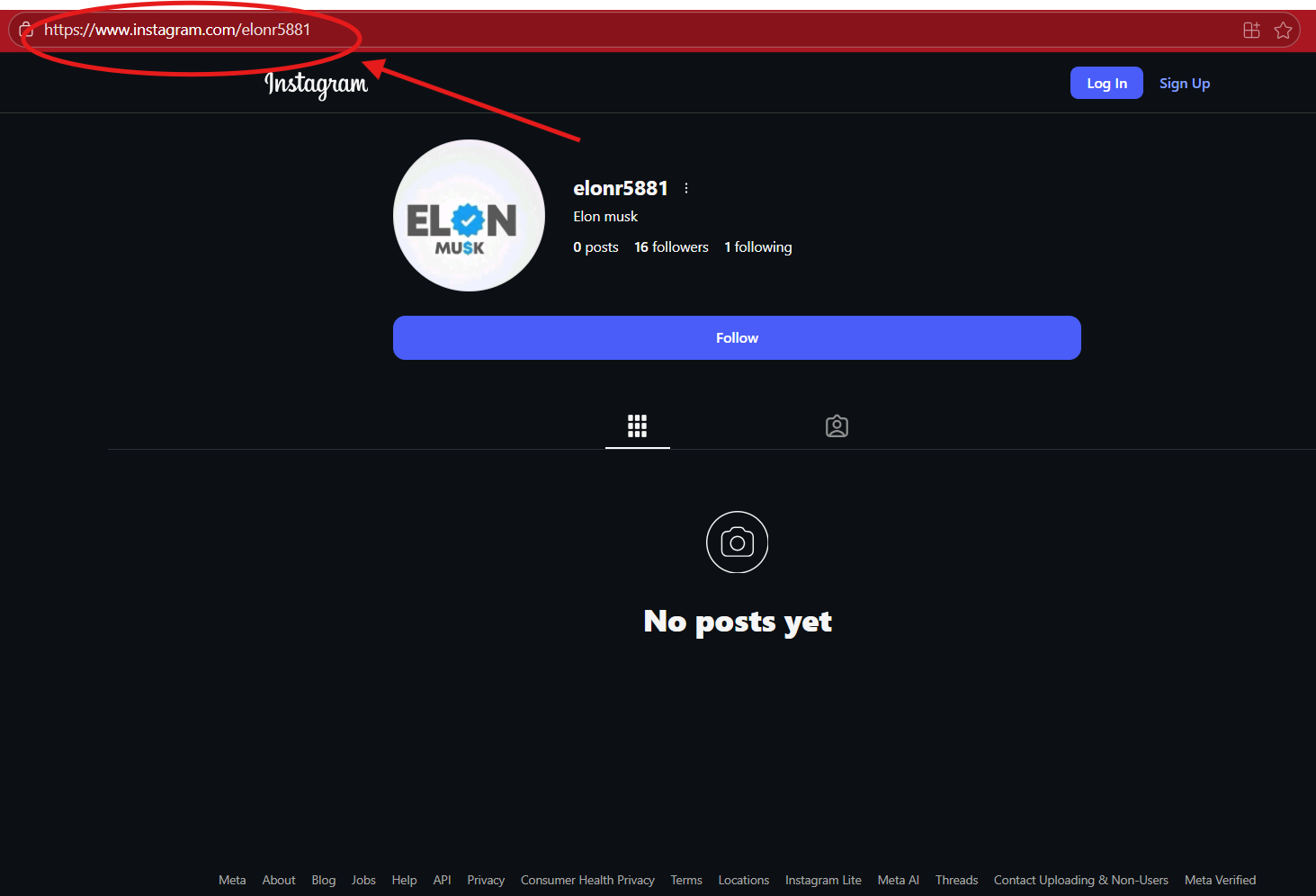
2. On your computer, hold the “ctl” + “U” and the source code for the profile page will open up.
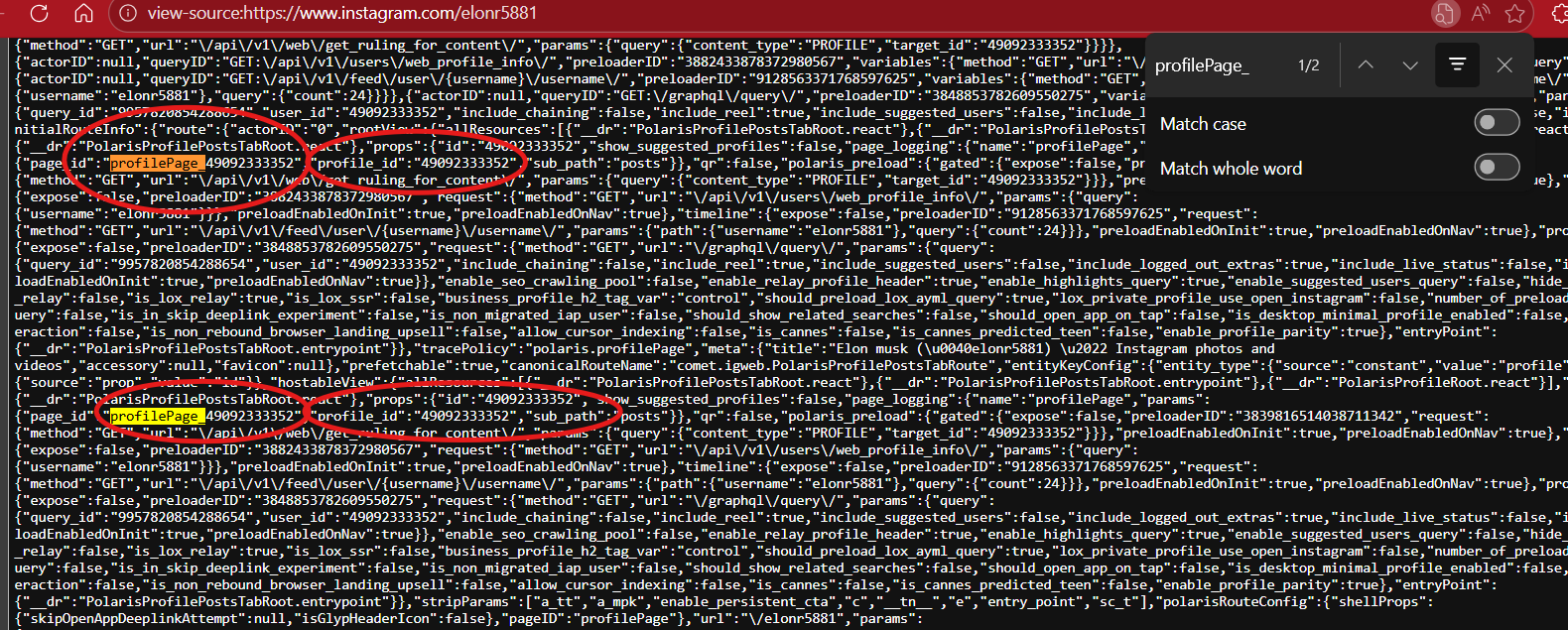
3. Hold “ctl” + “F” which is your find option. A box will open up. This is where you will type in the following key words to find the Instagram User I.D. number:
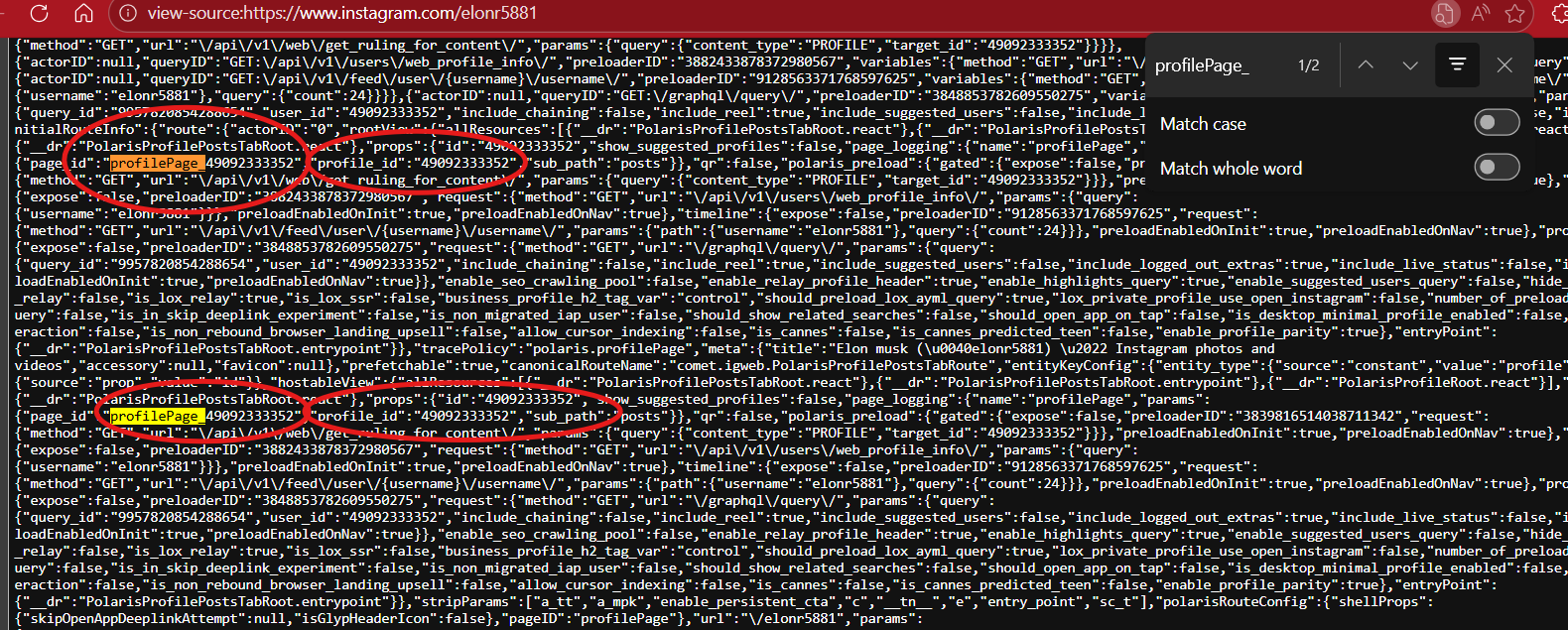
A. "profilePage_"
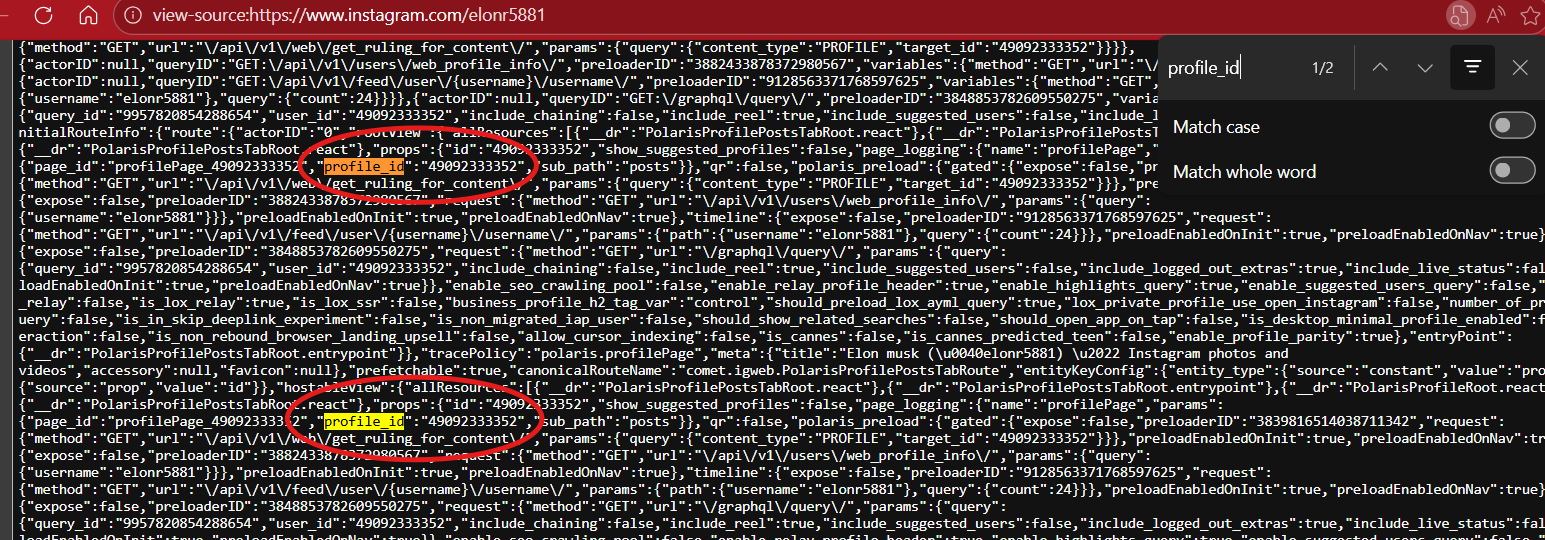
B. "profile_id"
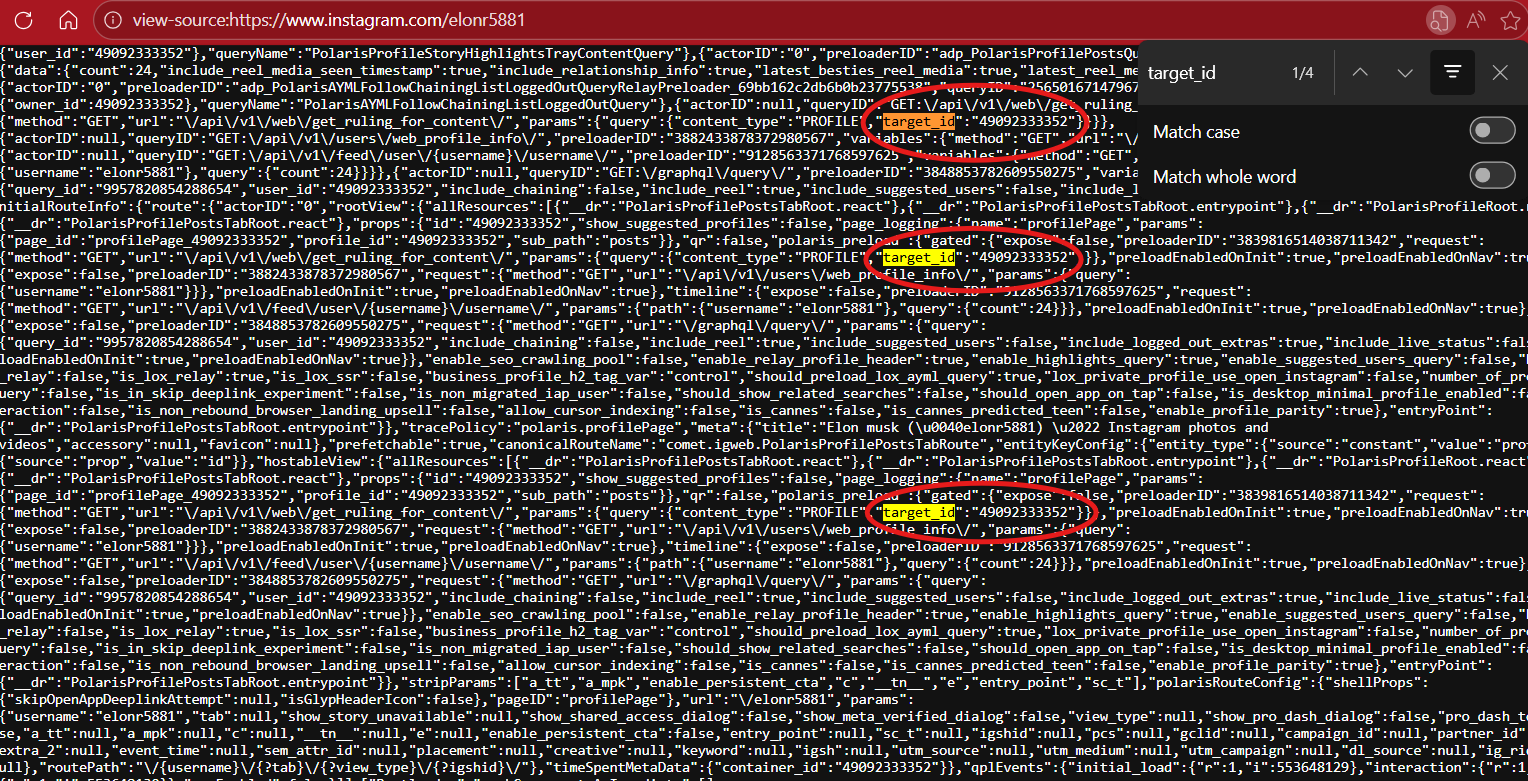
C. "target_id"
Below are the three results when you type in those keywords. Each will show the unique user numerical I.D.